
MailToDock
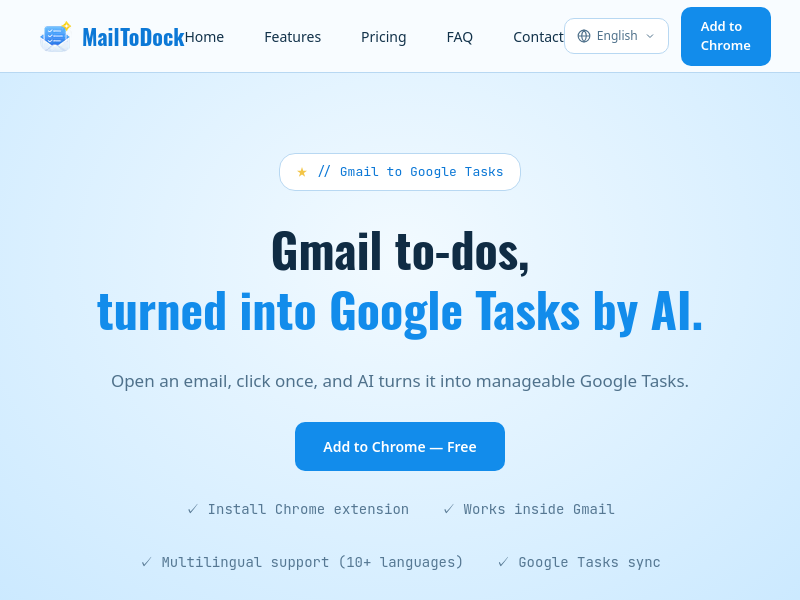
MailToDock is a Chrome extension that uses AI to turn Gmail emails into Google Tasks with one click. It extracts action items, due dates, and context from emails, syncs tasks to Google Tasks, and offers a side panel to manage tasks alongside the source email.
Key facts
What is MailToDock?
AI turns Gmail to-dos into Google Tasks with one click, saving time and keeping context.
Who is MailToDock best for?
Professionals, small businesses, and teams who manage tasks from email (e.g., project managers, sales ops, freelancers).
What are its main limitations?
- Only available as a Chrome extension
- Free tier limited to 10 tasks/day and 100 tasks/month
- Requires Google Tasks and Gmail
Limitations are based on product materials or editorial synthesis; confirm on the official site.
Key features
- ✓AI Task Creation from Gmail emails
- ✓Google Tasks Sync
- ✓Email-Linked Side Panel (manage tasks beside source email)
- ✓Inbox Status Badges (Todo, Doing, candidate-task badges)
- ✓Multilingual Support (10+ languages)
- ✓Subtasks
- ✓6 polished themes (Plus plan)
Use cases
- →Turn client emails into actionable tasks instantly
- →Extract action items from high-volume sales emails to save admin time
- →Pull due dates from email mentions (e.g., 'please send by EOD Friday')
- →Manage multiple client accounts with automatic list tagging
- →Reduce time spent rewriting tasks from email into Google Tasks
Pricing
Free
$0
- · 10 tasks/day
- · 100 tasks/month
- · Todo/Doing/Done tracking
- · Subtasks
- · Task suggestions in your language
Plus
$4.5/mo
- · 20 tasks/day
- · 300 tasks/month
- · Task status badges in email list
- · 6 polished themes
- · Everything in Free
Pro
$5.9/mo
- · 100 tasks/day
- · 2,000 tasks/month
- · View tasks from related emails
- · Everything in Plus
Free plan available; paid plans from $4.5/mo billed yearly.
Pros
- +AI extracts precise action items, not just subject lines
- +Saves up to 10 minutes per email and 1 hour per rep per day
- +Easy setup (2 minutes)
- +Free tier sufficient for many users
- +Works inside Gmail without extra effort
Cons
- −Only available as a Chrome extension
- −Free tier limited to 10 tasks/day and 100 tasks/month
- −Requires Google Tasks and Gmail
Positioning
- Core value: AI turns Gmail to-dos into Google Tasks with one click, saving time and keeping context.
- Ideal for: Professionals, small businesses, and teams who manage tasks from email (e.g., project managers, sales ops, freelancers).
- Product type: Chrome extension
Frequently asked questions
What's the difference between MailToDock and Gmail's built-in 'Add to Tasks'?
MailToDock uses AI to extract full task details, notes, and due dates from email content, while Gmail's built-in feature only adds the subject line.
Is MailToDock really free?
Yes, a free tier is available with 10 tasks/day and 100 tasks/month.
What exactly does the AI extract from an email?
The AI extracts action items, due dates, context, and priority to create structured Google Tasks with notes and subtasks.
You may also like
Curated suggestions based on similar categories.
Prompt Like A Pro
Improve your prompts for any goal, built on Anthropic, OpenAI, and Google's practices.
Craftly
Craftly turns rough notes and phone photos into listings, posts, and buyer replies that sound like you — just on your best day.
StudyEdge AI
StudyEdge AI is an AI study coach that automatically builds your weekly schedule, plans every session minute-by-minute, and runs study sessions with flashcards, quizzes, and active recall. One app for the entire semester.
Keymap
Keymap shows every menu shortcut in the app you're using. Double-press ⌘ to summon the panel. Spot conflicts. Remap keys. All local, all private.
Unified API+MCP Platform
Real-time unified API and MCP platform providing on-demand access to 759 data sources across 33 categories for B2B SaaS and AI agents.
Finamie
Finamie is a voice-first personal finance app for iOS that automatically logs transactions and generates personalized financial insights from spoken descriptions. Available in English and Spanish, it offers a free tier and a Premium subscription.