
MP3 to Transcript
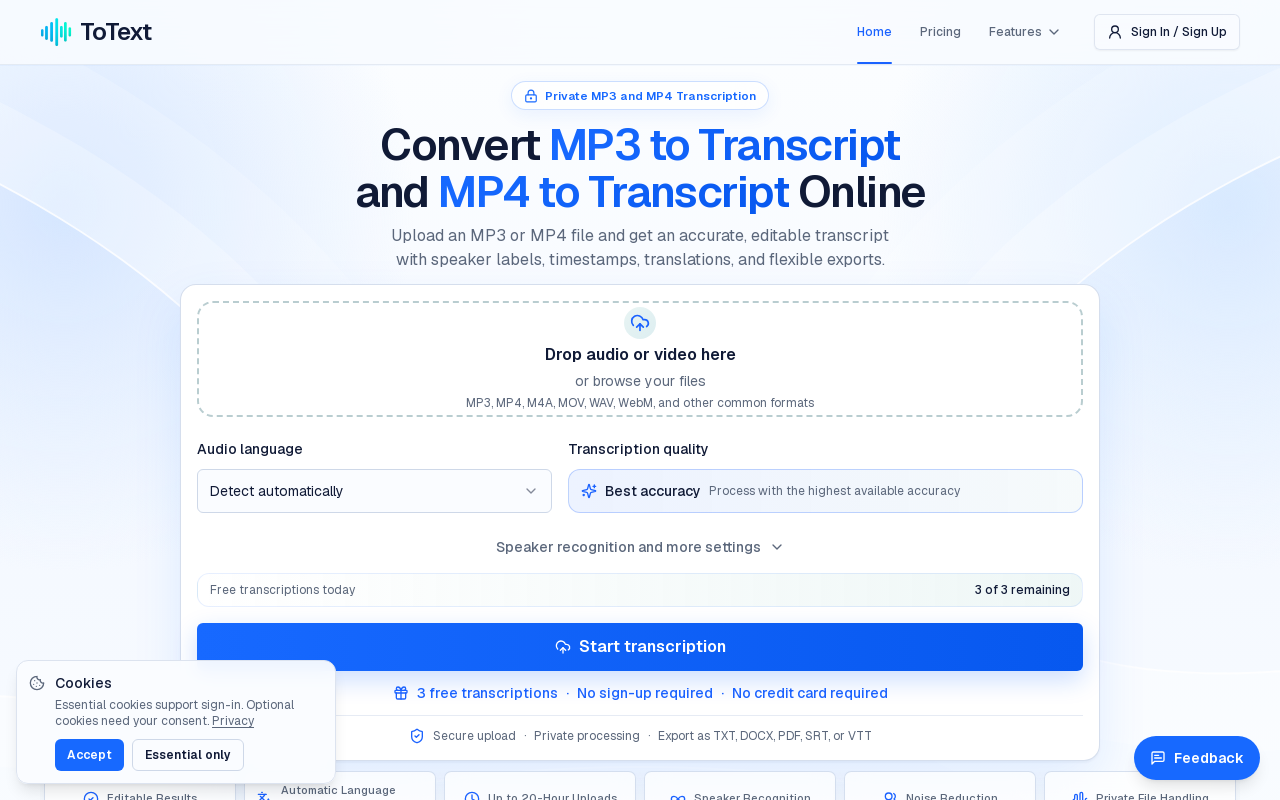
ToText is a browser-based transcription tool that converts MP3, MP4, M4A, MOV, WAV, WebM and other audio/video files into editable, time-aligned text. It adds speaker labels, timestamps, summaries, meeting notes, chapters, action items and translations, with exports to TXT, DOCX, PDF, SRT, VTT, CSV, JSON, ASS and XLSX.
Key facts
What is MP3 to Transcript?
Turn MP3 and MP4 recordings into accurate, editable, timestamped transcripts with speaker labels and subtitle-ready exports, entirely in the browser.
Who is MP3 to Transcript best for?
Podcasters and creators, researchers, students and educators, meeting and interview note-takers, teams needing caption drafts
Does MP3 to Transcript have a free plan?
According to official sources, a free plan is available. Official pricing
What does MP3 to Transcript cost?
Verified starting price is USD 19.9 / month. View source
What are its main limitations?
- Free accounts are limited to 3 files daily and only the first 20 minutes of each file
- Noise reduction, AI summaries, notes, chapters, action items, Q&A and translation are excluded from the 300-Minute Pack
- Accuracy depends on audio quality; noisy, overlapping or specialist speech requires manual correction
- No API or developer integration is described on the site
Limitations are based on product materials or editorial synthesis; confirm on the official site.
When was this information verified?
October 18, 2026
Sources
- Official homepageofficial homepage · Oct 18, 2026
- Official pricingofficial pricing · Oct 18, 2026
Key features
- ✓Upload MP3, MP4, M4A, MOV, WAV, WebM and other common formats
- ✓Automatic language detection or manual language selection
- ✓Speaker recognition with editable speaker labels
- ✓Timestamped transcript editor with synchronized playback and search
- ✓Custom vocabulary for names, acronyms and technical terms
- ✓Background noise reduction and speech enhancement (paid plans)
- ✓AI summaries, meeting notes, automatic chapters, action items, transcript Q&A and English translation (paid plans)
- ✓Exports to TXT, DOCX, PDF, SRT, VTT, CSV, JSON, ASS and XLSX
- ✓Files up to 20 hours per upload (paid plans)
- ✓Encrypted uploads, private processing and dashboard deletion controls
Use cases
- →Transcribe interviews and meetings to verify quotations and capture decisions
- →Generate show notes, articles and chapters from podcast episodes
- →Create caption drafts (SRT/VTT) from MP4 lessons, tutorials or webinars
- →Make lectures, voice notes and research calls searchable with timestamps
- →Produce summaries, meeting notes and action items from recorded calls
- →Move transcript data into structured workflows via CSV, JSON or XLSX
Pricing
Free
$0
- · Up to 3 files per day
- · First 20 minutes of each file included
- · Speaker recognition and language detection
- · TXT, DOCX, PDF, SRT, VTT exports
- · No credit card required
300-Minute Pack
$9.90 one-time
- · 300 minutes of audio and video transcription
- · Speaker recognition with editable labels
- · Automatic language detection and custom vocabulary
- · Timestamped editor with synchronized playback
- · TXT, DOCX, PDF, SRT, VTT, CSV, JSON, XLSX exports
- · No background noise reduction
- · No AI summaries, notes, chapters, action items, Q&A or translation
Monthly Unlimited
$19.90/mo
- · Unlimited audio and video transcription
- · Files up to 20 hours per upload
- · Speaker recognition with editable labels
- · Background noise reduction and speech enhancement
- · AI summaries, meeting notes, chapters, action items, transcript Q&A
- · English translation, custom vocabulary, automatic language detection
- · All transcript, document, data and subtitle export formats
Annual Unlimited
$149/yr
- · Unlimited audio and video transcription
- · Files up to 20 hours per upload
- · Speaker recognition with editable labels
- · Background noise reduction and speech enhancement
- · AI summaries, meeting notes, chapters, action items, transcript Q&A
- · English translation, custom vocabulary, automatic language detection
- · All export formats
- · Best effective monthly price (billed annually)
Free tier with 3 files/day (first 20 minutes each); paid options are a $9.90 one-time 300-minute pack or unlimited subscriptions at $19.90/mo or $149/yr.
Pros
- +Runs fully in the browser — no software installation required
- +Wide export format coverage including subtitle and structured data formats
- +Timestamped playback plus speaker labels make review and correction fast
- +Free allowance available without a credit card
- +AI views (summary, chapters, action items, translation) included in unlimited plans
Cons
- −Free accounts are limited to 3 files daily and only the first 20 minutes of each file
- −Noise reduction, AI summaries, notes, chapters, action items, Q&A and translation are excluded from the 300-Minute Pack
- −Accuracy depends on audio quality; noisy, overlapping or specialist speech requires manual correction
- −No API or developer integration is described on the site
Positioning
- Core value: Turn MP3 and MP4 recordings into accurate, editable, timestamped transcripts with speaker labels and subtitle-ready exports, entirely in the browser.
- Ideal for: Podcasters and creators, researchers, students and educators, meeting and interview note-takers, teams needing caption drafts
- Product type: Web app (browser-based, no installation)
Frequently asked questions
What is ToText (MP3 to Transcript)?
ToText is an online tool that converts MP3, MP4, M4A, MOV, WAV, WebM and other audio or video files into editable, time-aligned transcripts with speaker labels, timestamps, summaries and multiple export formats.
How much does ToText cost?
A one-time 300-Minute Pack costs $9.90, Monthly Unlimited is $19.90/month, and Annual Unlimited is $149/year. A free tier allows up to 3 files daily with the first 20 minutes of each file included.
Is there a free plan?
Yes. Free accounts can process up to 3 files daily, with the first 20 minutes of each file included, and no credit card is required.
What export formats are supported?
Transcripts can be downloaded as TXT, DOCX, PDF, SRT, VTT, CSV, JSON, ASS and XLSX. SRT and VTT preserve subtitle timing cues.
Do I need to install software?
No. Upload, transcription, editing and export all run through the website in a modern browser.
Which features require a paid plan?
Background noise reduction, speech enhancement, AI summaries, meeting notes, automatic chapters, action items, transcript Q&A and English translation are listed on the unlimited subscription plans; the 300-Minute Pack excludes them. Paid access also supports longer complete recordings up to 20 hours per upload.
You may also like
Curated suggestions based on similar categories.
Citizen Mirror
Citizen Mirror is a web portal titled "Divisional Productivity Index 1.1 (2026)" that provides public-centric divisional administration assessments for Sri Lanka's provinces. Users choose a province and log in to access local government performance assessments. The site is published under the National Productivity Secretariat and was developed by NanoBotz Technology Solutions.
AI Text Watermark Remover
AI Text Watermark Remover detects and cleans traces left in AI-generated drafts, including invisible Unicode characters and Markdown paste residue, and offers a Pro meaning-preserving rewrite when a watermark is embedded in the wording itself. It supports pastes from Claude, ChatGPT, Gemini and other models, with invisible-character and Markdown cleaning running locally in the browser.
Clean Paste AI
Clean Paste AI is an AI clipboard sanitizer and text cleaner that strips hidden Unicode characters and Markdown residue from copied text before pasting it into documents. Cleaning runs locally in the browser, with optional Pro tools (Text Watermark Remover and AI Humanizer) that use credits for semantic rewriting.
Diagramly
Diagramly is an AI-powered diagramming assistant that generates PlantUML, Mermaid, and ZenUML diagrams from written text descriptions or uploaded whiteboard drawings. Users can refine diagrams with diagram-as-code, save version history, and share diagrams via link or keep them private.
RoleFit
RoleFit is an AI-powered job matching tool that analyses a pasted job description and returns a fit score, skill gaps, visa sponsorship check, and salary range. It generates a tailored, ATS-optimised CV and a cover letter, and saves applications to a tracker.
AI Text Cleaner
AI Text Cleaner is a browser-based text hygiene workspace that removes hidden Unicode characters, unusual whitespace, and unwanted Markdown formatting from AI-generated drafts. Free scans run locally in the browser, while paid Pro credits power full-sentence rewriting for text watermark removal and AI humanization.