
Nano Banana AI
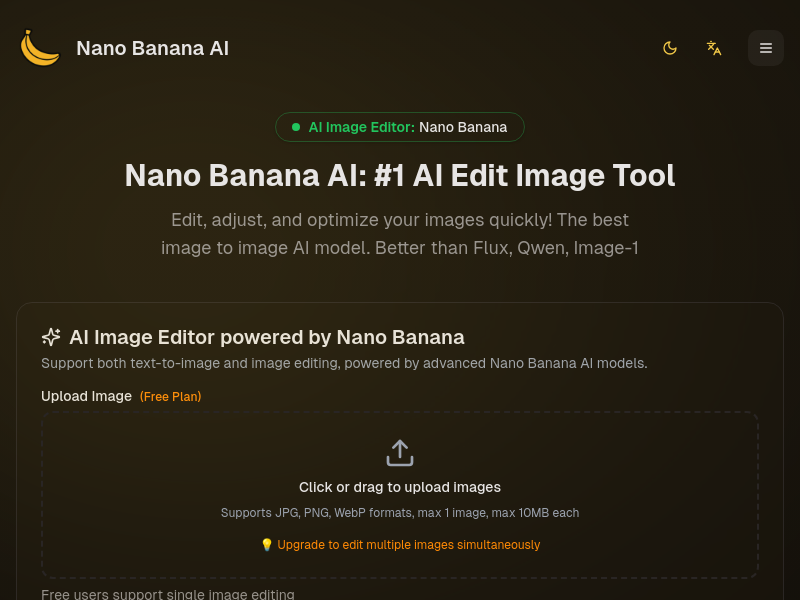
Nano Banana AI is an AI-powered image editing and generation platform that allows users to upload images and edit them via text prompts, or generate new images from text. It offers various models (Nano Banana, Nano Banana Pro, Nano Banana 2, etc.) and tools for tasks like batch editing, color grading, and style transformation.
Key facts
What is Nano Banana AI?
Edit and generate images with AI precision using simple text prompts, delivering professional results instantly.
Who is Nano Banana AI best for?
Individuals, professionals, and businesses looking for fast AI image editing and generation.
What are its main limitations?
- Free plan limited to 20 credits and does not support batch editing
- Paid plans required for higher usage (more credits, concurrent tasks)
- Website migrating to new domain (PicCreator.ai) may cause temporary disruption
Limitations are based on product materials or editorial synthesis; confirm on the official site.
Key features
- ✓Text-to-image and image editing via text prompts
- ✓Batch image editing (paid plans)
- ✓Multiple specialized AI tools (AI Figure Generator, AI Pose Generator, AI Photo to Sketch, etc.)
- ✓Support for multiple image formats (JPG, PNG, WebP) up to 10MB each
- ✓Aspect ratio selection (Auto, 21:9, 16:9, 4:3, 1:1, 3:4, 9:16, 16:21)
- ✓Credit-based system: 10 credits per generation (Nano Banana), 20 credits per image (Nano Banana Pro)
Use cases
- →Enhance portraits with AI skin tone, lighting, and beauty adjustments
- →Transform 2D cartoon images into 3D models
- →Professional color grading for marketing and social media images
- →Adjust character poses, hand gestures, and body postures
- →Edit brand logos by modifying specific regions based on prompts
Pricing
Free
$0.00 / month
- · 20 credits free
- · Handle 1 task at a time
- · Don't support batch image editor
- · Limited support
Starter
$5.99 / month
- · 1,000 credits per month
- · Handle up to 2 tasks at the same time
- · Support batch image editor
- · Limited features
Professional
$11.99 / month
- · 3,000 credits per month
- · Handle up to 5 tasks at the same time
- · Support batch image editor
- · Limited features
- · Commercial usage rights
Business
$23.99 / month
- · 8,000 credits per month
- · Handle up to 10 tasks at the same time
- · Support batch image editor
- · 24/7 priority mail support
- · Commercial usage rights
Free plan with 20 credits; paid plans start at $5.99/month for 1,000 credits.
Pros
- +Lightning fast processing – edits in seconds
- +Professional-quality output with excellent prompt understanding
- +Stable and reliable results across all image types
- +Intuitive interface – no technical skills required
Cons
- −Free plan limited to 20 credits and does not support batch editing
- −Paid plans required for higher usage (more credits, concurrent tasks)
- −Website migrating to new domain (PicCreator.ai) may cause temporary disruption
Positioning
- Core value: Edit and generate images with AI precision using simple text prompts, delivering professional results instantly.
- Ideal for: Individuals, professionals, and businesses looking for fast AI image editing and generation.
- Product type: Web app (nanobanana.art, migrating to PicCreator.ai)
Frequently asked questions
How do I edit an image with Nano Banana?
Upload your image, describe what changes you want in the prompt box (e.g., 'enhance colors', 'change to cartoon style', 'remove background'), then click Generate. Our AI instantly processes your request and delivers professional results.
What types of edits can I make?
You can enhance colors, adjust lighting, change styles (realistic to cartoon, vintage, etc.), remove or add objects, fix imperfections, upscale resolution, and much more. Just describe what you want.
Can I edit images for free?
Yes! Every new user gets free credits when signing up. You can use these credits to edit images with full access to all features. No credit card required to start.
What image formats are supported?
Nano Banana supports all major image formats including JPG, PNG, WebP, and more. You can upload images up to 10MB (or 20MB per site text) and export high-quality results.
Can I use edited images commercially?
Yes, images edited with Nano Banana can be used for commercial purposes according to your subscription plan. This includes social media, marketing materials, websites, and products.
How does Nano Banana compare to Photoshop?
While Photoshop requires extensive learning and manual work, Nano Banana uses AI to achieve professional results instantly. Just describe what you want in plain language – no technical skills needed.
You may also like
Curated suggestions based on similar categories.
BeadPattern
BeadPattern is an AI bead pattern generator that turns text prompts and photos into printable Perler, Hama and fuse-bead patterns. It offers smart color matching to major bead brand palettes, editable pixel grids, color codes, bead counts and PDF/PNG template export.
Step 5 Preview
Step 5 Preview is StepFun's flagship model for agentic work, built on a sparse Mixture-of-Experts architecture with 600B total parameters (27B active per token), a 1M-token context window, and vision input. It targets software engineering, long-horizon agentic tasks, professional knowledge work, and finance, and is available through StepFun's products and API, with open weights planned for October 15.
Nemotron 3.5 Super VL
Nemotron 3.5 Super VL is a member of NVIDIA's Nemotron 3 family of open models with open weights, training data, and recipes. It combines visual understanding, reasoning, and tool use in a single model and is described as delivering highest in-class efficiency and accuracy for specialized domains. It can be deployed from local infrastructure to the cloud and is accessible via OpenRouter, NVIDIA NIM API, and Hugging Face.
Createimg.ai
Createimg.ai is a browser-based AI image and video generation platform that turns text prompts into images and restyles or edits reference photos using a range of third-party models. It also offers dedicated tools such as text-to-image, image-to-image, AI video generation, and a library of image effects like memes, thumbnails, stickers, and ad creatives.
Diagramly
Diagramly is an AI-powered diagramming assistant that generates PlantUML, Mermaid, and ZenUML diagrams from written text descriptions or uploaded whiteboard drawings. Users can refine diagrams with diagram-as-code, save version history, and share diagrams via link or keep them private.
PopUGC
PopUGC is a browser-based AI content creation platform whose AI Image to Image Generator transforms an uploaded reference photo into a new image guided by a text prompt. The same credit package covers AI image generation, text-to-image, text-to-video, and image-to-video tools, with upscaling, watermark-free downloads, and batch generation.