
ProductShot AI
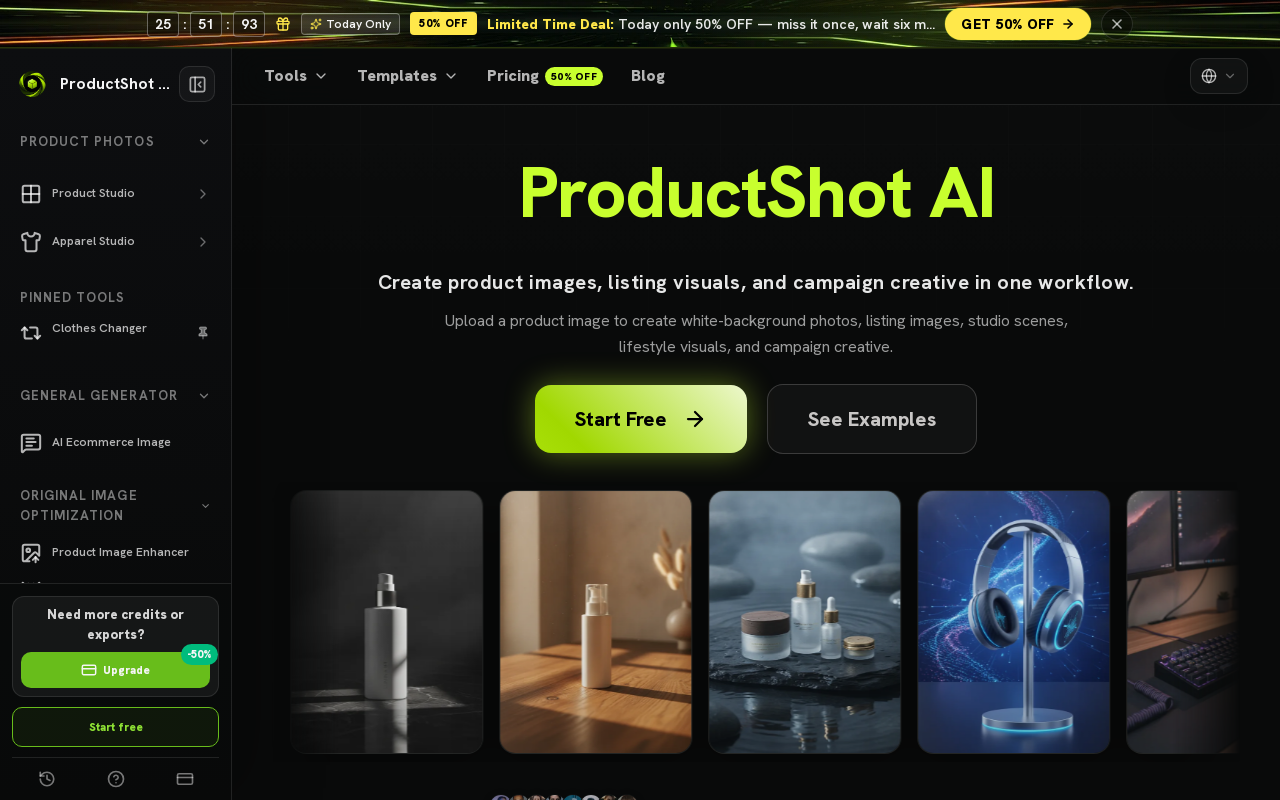
ProductShot AI is a browser-based AI product photography workspace for ecommerce sellers, marketers, and small teams. It turns a single uploaded product image into white-background photos, studio shots, lifestyle scenes, marketplace listing images, and campaign creative.
Key facts
What is ProductShot AI?
Create listing images, studio scenes, and campaign visuals from one product upload without booking a physical photoshoot.
Who is ProductShot AI best for?
Ecommerce sellers, marketers, and small teams (Shopify/DTC brands, Amazon and other marketplace sellers, social and campaign marketers)
What are its main limitations?
- Outputs still require review for platform rules, text accuracy, and brand/legal fit
- The pricing page currently returns a 404, so plan tiers and prices are not published on the site
- Stated to work best when starting from a clear product image, so poor input photos limit Product Lock accuracy
- A traditional photoshoot is still described as best for final hero assets, controlled shoots, and premium campaigns
Limitations are based on product materials or editorial synthesis; confirm on the official site.
Key features
- ✓AI product image generator that creates clean listing images from a product upload
- ✓AI white background generator for clean white-background product images that keep key details intact
- ✓Studio photo generator for studio-style product photos without a physical shoot
- ✓AI fashion model generator that turns flat-lay or hanger garment photos into on-model ecommerce images with preset models
- ✓AI virtual try-on that creates try-on effect images from a garment and person photo
- ✓Marketplace listing image generator for clean, centered listing images
- ✓Lifestyle product photo generator that places products in realistic scenes for storefronts and campaigns
- ✓Product Lock plus reference images to keep shape, color, materials, packaging, logo placement, and label details consistent while changing backgrounds or scenes
- ✓Settings for Product Lock, scene, lighting, angle, ratio, and platform preset, with before-and-after comparison, download, share, and reusable history
- ✓Free browser tools: product background remover (transparent cutout PNG), product image compressor, transparent product PNG export, and product image enhancer
Use cases
- →Building product page images, collection visuals, and launch assets for Shopify and DTC stores from one product upload
- →Creating centered listing images, cleaner backgrounds, and supporting gallery visuals for Amazon and other marketplace listings
- →Generating multiple campaign directions for a product launch before booking a full photoshoot
- →Producing product-led visuals with usable copy space and channel ratios for social ads and marketing creative
- →Turning flat-lay or hanger garment photos into on-model fashion images and virtual try-on visuals for product pages
- →Placing products in lifestyle scenes for storefronts, banners, and paid social
Pros
- +Works entirely in the browser from a single product upload, no shoot required
- +Product Lock and reference images help keep product details such as shape, color, packaging, and labels more consistent
- +Platform presets, ratios, scene, lighting, and angle controls support marketplace and channel-specific output
- +Before-and-after comparison plus saved history let users reuse strong variations for future campaigns
- +Several free tools are offered, including background removal, image compression, transparent PNG export, and image enhancement
Cons
- −Outputs still require review for platform rules, text accuracy, and brand/legal fit
- −The pricing page currently returns a 404, so plan tiers and prices are not published on the site
- −Stated to work best when starting from a clear product image, so poor input photos limit Product Lock accuracy
- −A traditional photoshoot is still described as best for final hero assets, controlled shoots, and premium campaigns
Positioning
- Core value: Create listing images, studio scenes, and campaign visuals from one product upload without booking a physical photoshoot.
- Ideal for: Ecommerce sellers, marketers, and small teams (Shopify/DTC brands, Amazon and other marketplace sellers, social and campaign marketers)
- Product type: Browser-based web app
Frequently asked questions
What is ProductShot AI?
ProductShot AI is a browser-based AI product photography workspace for ecommerce sellers, marketers, and small teams. It turns uploaded product images into cleaner marketplace photos, white-background shots, studio images, lifestyle scenes, and campaign visuals.
How does ProductShot AI create product photos?
Upload one product image, optionally add reference images for visual direction, then choose Product Lock, scene, lighting, angle, ratio, and a platform preset. Generate the image, compare, download, share, or keep the output in history.
What tools does ProductShot AI offer?
It offers an AI product image generator, studio photo generator, white background generator, AI fashion model generator, virtual try-on, marketplace listing image generator, lifestyle product photo generator, and ad creative generator. Free tools include a background remover, image compressor, transparent PNG export, and image enhancer.
Which marketplaces and platforms does ProductShot AI support?
The site lists Shopify, Amazon, Etsy, TikTok Shop, eBay, Walmart, Shopee, Lazada, WooCommerce, Taobao, and JD, along with Google, ChatGPT, Gemini, Stripe, and Cloudflare logos.
Does ProductShot AI keep product details consistent?
Yes. Product Lock is designed to keep shape, color, materials, packaging, logo placement, and label details more consistent while you change backgrounds or build scenes, so each generated photo still feels like the same item.
How much does ProductShot AI cost?
The site's pricing page currently returns a 404 error, so specific plan prices are not published there. The homepage promotes a limited-time 50% off deal, a 'Start free' option, and several free browser tools, but no paid tier amounts are stated.
You may also like
Curated suggestions based on similar categories.
DigiBouquet AI
DigiBouquet AI lets you build a digital flower bouquet by hand for free or generate an AI-designed arrangement from a short prompt, attach a personal note card, and share it as a gift link, PNG download, or story-ready image. Recipients open the gift link on any phone without an app install or account.
Flux 3 video
Flux 3 is an independent preview site for a multimodal AI image and video generator that combines text-to-image, image-to-video, native audio, and action prediction in a single creative workflow. The live playground currently uses FLUX.2 for image generation and Wan 2.2 for video generation while official FLUX 3 access remains coming soon.
minia.art
minia.art is an AI-powered pixel art generator that creates grid-aligned, style-consistent, limited-color pixel art from text prompts. It is designed for casual creators who want game-ready sprites, scenes, avatars, wallpapers, and social media assets without needing to learn sprite editors.
Undress.cc
Undress.cc is an AI-powered image editing tool for adult users (18+) that simulates clothing removal and other transformations exclusively on AI-generated images. The platform enforces strict age verification, prohibits real human photos, and anonymizes user data.
EmojiArtist
EmojiArtist is a web app that lets users create custom emojis. It offers free daily credits for daily generations.
TryNectar
TryNectar is an AI companion platform that lets users create and interact with customizable virtual girlfriends using advanced language models and image generation. It offers realistic conversations, roleplay scenarios, and the ability to generate AI art, all within a privacy-focused environment.