
Prompter
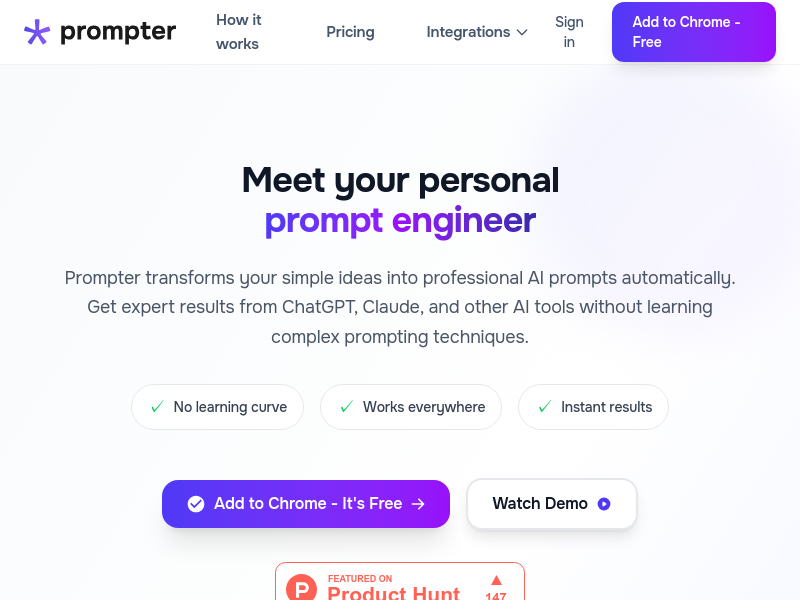
Prompter is a Chrome extension that acts as a personal prompt engineer for AI tools. It creates context-aware workspaces and automatically enhances prompts with project details, format, and instructions to get better results from ChatGPT, Claude, and many other AI platforms.
Key facts
What is Prompter?
Stop repeating yourself to AI and get work-ready results on the first try by automatically weaving your project context into every prompt.
Who is Prompter best for?
Professionals, developers, marketers, and content creators who use AI tools regularly
What are its main limitations?
- Free plan limited to 5 daily prompt credits and 2 workspaces
- Only available as a Chrome extension (may not support other browsers)
- Pro subscription required for unlimited usage and advanced features
Limitations are based on product materials or editorial synthesis; confirm on the official site.
Key features
- ✓Works with ChatGPT, Claude, Perplexity, Gemini, Copilot, Meta AI, Grok, Lovable, V0, Replit, Atlas, Comet
- ✓Context-aware workspaces: set project details and tech stack once, automatically weaves into every prompt
- ✓Automatic prompt enhancement: transforms basic prompts into professional-grade prompts with context, format, and instructions
- ✓Quick actions to make prompts shorter, more detailed, or custom refinements
- ✓Save and reuse best prompts (Pro feature)
- ✓Unlimited prompt revisions (Pro feature)
- ✓Switch contexts instantly between multiple projects
- ✓Key details from workspace are highlighted in enhanced prompts
Use cases
- →Generate marketing ideas for a SaaS dashboard targeting enterprise B2B customers
- →Write a comprehensive guide on React performance optimization for a technical blog
- →Create a trends report on SEO algorithm updates for a marketing team
- →Improve coding, content creation, data analysis, and problem-solving across AI tools
- →Draft professional documents without repeating project context every time
Pricing
Free
$0
- · 5 daily prompt credits
- · 2 workspaces for context
- · Good quality prompts
Pro
$7.99/mo
- · Unlimited prompt credits
- · Unlimited prompt revisions
- · Unlimited workspaces for context
- · Best quality AI prompts
- · Save & reuse your best prompts
- · +4 Meta AI, Replit, Atlas, Comet integrations
Free plan with 5 daily prompt credits and 2 workspaces; Pro at $7.99/mo for unlimited usage and advanced features, with a 7-day free trial.
Pros
- +Saves time by eliminating the need to repeat context across AI tools
- +Improves AI response quality and reduces back-and-forth
- +Works with a wide range of popular AI platforms
- +Free plan available with no credit card required
- +No prompt engineering skills needed
Cons
- −Free plan limited to 5 daily prompt credits and 2 workspaces
- −Only available as a Chrome extension (may not support other browsers)
- −Pro subscription required for unlimited usage and advanced features
Positioning
- Core value: Stop repeating yourself to AI and get work-ready results on the first try by automatically weaving your project context into every prompt.
- Ideal for: Professionals, developers, marketers, and content creators who use AI tools regularly
- Product type: Chrome extension
Frequently asked questions
What is Prompter and how can it improve my AI prompts?
Prompter is a Chrome extension that acts like a personal prompt engineer. It automatically enhances your simple requests by adding project context, format requirements, and clear instructions, so AI tools deliver more accurate and useful responses on the first try.
Who should use Prompter for their AI workflows?
Prompter is designed for professionals, developers, marketers, and content creators who regularly use AI tools like ChatGPT, Claude, and Gemini. It helps anyone who wants better results without spending time crafting complex prompts.
How does Prompter's AI prompt enhancement work?
You type a simple request, and Prompter automatically weaves in your workspace context (project details, tech stack, preferences) to create a professional-grade prompt. Key details are highlighted so you can see how your context shapes the prompt.
Do I need prompt engineering experience to use Prompter?
No. Prompter does the prompt engineering for you by applying proven techniques automatically. You just type what you need and let Prompter enhance it.
How will Prompter improve my ChatGPT and AI tool results?
By adding specific context, format, and instructions, Prompter eliminates generic responses and clarifying questions. You get work-ready answers tailored to your project faster.
Is Prompter free to use with ChatGPT and other AI tools?
Yes, Prompter offers a Free plan with 5 daily prompt credits and 2 workspaces. For unlimited usage, revisions, and advanced features, there is a Pro plan at $7.99/month with a 7-day free trial.
You may also like
Curated suggestions based on similar categories.
Prompt Like A Pro
Improve your prompts for any goal, built on Anthropic, OpenAI, and Google's practices.
Craftly
Craftly turns rough notes and phone photos into listings, posts, and buyer replies that sound like you — just on your best day.
StudyEdge AI
StudyEdge AI is an AI study coach that automatically builds your weekly schedule, plans every session minute-by-minute, and runs study sessions with flashcards, quizzes, and active recall. One app for the entire semester.
Keymap
Keymap shows every menu shortcut in the app you're using. Double-press ⌘ to summon the panel. Spot conflicts. Remap keys. All local, all private.
Unified API+MCP Platform
Real-time unified API and MCP platform providing on-demand access to 759 data sources across 33 categories for B2B SaaS and AI agents.
Finamie
Finamie is a voice-first personal finance app for iOS that automatically logs transactions and generates personalized financial insights from spoken descriptions. Available in English and Spanish, it offers a free tier and a Premium subscription.