
Amie
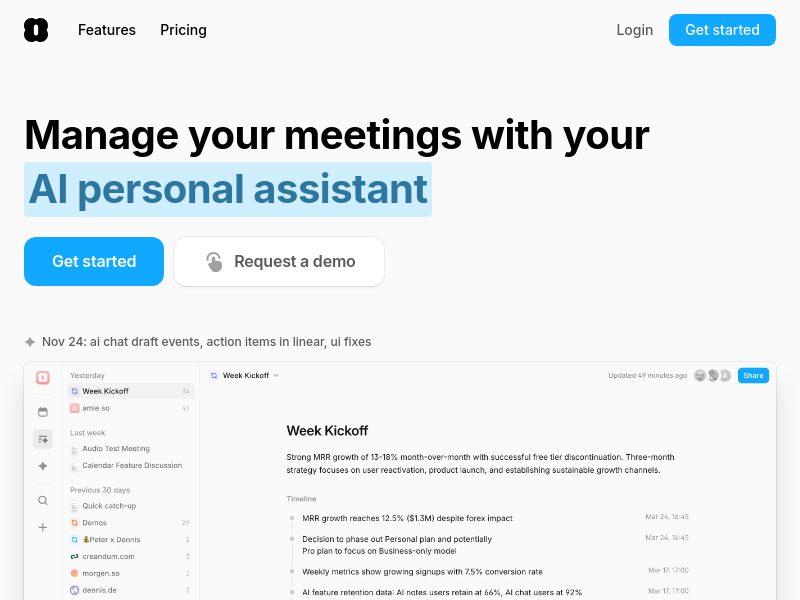
Amie is an AI note-taking app that records and summarizes meetings without a bot joining your calls. It integrates with calendars, email, and CRM tools to automate follow-up tasks, action items, and scheduling.
Key facts
What is Amie?
Replace multiple tools (Fireflies, Otter, Gcal, Things 3) with one app that records, summarizes, and automates your meeting workflows.
Who is Amie best for?
Teams, sales professionals, customer success managers, and knowledge workers who attend many meetings
What are its main limitations?
- No free plan – only a 7-day free trial
- Limited platform support (no Android, no Linux)
- Advanced features like CRM integrations and custom branding are on Business plan only
- Some users may prefer a standalone meeting tool without calendar/todo features
Limitations are based on product materials or editorial synthesis; confirm on the official site.
Key features
- ✓Bot-free meeting recording with pause, auto-stop, and speaker labeling
- ✓AI-generated summaries and action items with multilingual support (17 languages with speaker labeling)
- ✓Private notes that feed into summary focus areas
- ✓AI chat with full context of meetings, calendar, and email
- ✓AI scheduling that auto-organizes your day and shuffles events when plans change
- ✓Integrations with Google Calendar, Apple Calendar, Gmail, Slack, Notion, HubSpot, Pipedrive, Linear, and more
- ✓Shareable meeting pages that can be shared internally or with customers
- ✓Custom templates and custom branding on shared notes (Business plan)
Use cases
- →Record and summarize any video call across Zoom, Google Meet, Slack Huddle, or Microsoft Teams
- →Auto-create follow-up tasks and schedule them on your calendar
- →Ask AI to draft emails, update meetings, or rewrite summaries with full context
- →Keep CRM updated by exporting summaries and action items to HubSpot / Pipedrive
- →Search across your entire meeting knowledge base to answer questions quickly
- →Automate meeting preparation by generating agendas 10x faster
Pricing
Pro
€20/user/month
- · Unlimited meeting notes
- · Bot-free recordings
- · AI-drafted emails
- · Unlimited AI Chat messages
- · AI Scheduling
Business
€40/user/month
- · Everything in Pro
- · CRM integrations (HubSpot, Pipedrive, soon Attio)
- · Custom templates
- · Custom branding on shared notes
7-day free trial available; paid plans start at €20/user/month (billed annually) for Pro, €40/user/month for Business.
Pros
- +No bot joins your calls – recording is controlled from a notch or floating UI
- +Works with all major video call providers
- +Multilingual summaries with speaker labeling
- +Tight integrations with calendars, email, and task tools
- +AI chat can directly create/edit calendar events and send emails
- +Ability to add private notes that influence summary focus
Cons
- −No free plan – only a 7-day free trial
- −Limited platform support (no Android, no Linux)
- −Advanced features like CRM integrations and custom branding are on Business plan only
- −Some users may prefer a standalone meeting tool without calendar/todo features
Positioning
- Core value: Replace multiple tools (Fireflies, Otter, Gcal, Things 3) with one app that records, summarizes, and automates your meeting workflows.
- Ideal for: Teams, sales professionals, customer success managers, and knowledge workers who attend many meetings
- Product type: Desktop app for macOS and Windows, mobile app for iOS
Frequently asked questions
Can I use Amie at my company?
Yes, Amie is designed for teams and businesses. There are Pro and Business plans with different features.
How does Amie protect my privacy?
Amie records meetings without a bot in the call, and you can pause recording to speak off the record. The app stores your meeting data and uses it for AI context. E2E encryption and audit logs are available on the Business plan.
Which video call providers do you support?
Amie works with Zoom, Google Meet, Slack Huddle, and Microsoft Teams. It records calls from any provider when you join meetings through Amie.
Where do I connect more accounts?
You can connect additional Google/Apple calendars, Gmail, Slack, Notion, HubSpot, Pipedrive, Linear, and more from within the app settings.
I've already used my trial. Can I get another one?
Please contact [email protected] to discuss trial extensions.
When can I use Amie on my device?
Amie is available on macOS, Windows, and iOS. Android support is not mentioned.
You may also like
Curated suggestions based on similar categories.
Prompt Like A Pro
Improve your prompts for any goal, built on Anthropic, OpenAI, and Google's practices.
Craftly
Craftly turns rough notes and phone photos into listings, posts, and buyer replies that sound like you — just on your best day.
StudyEdge AI
StudyEdge AI is an AI study coach that automatically builds your weekly schedule, plans every session minute-by-minute, and runs study sessions with flashcards, quizzes, and active recall. One app for the entire semester.
Keymap
Keymap shows every menu shortcut in the app you're using. Double-press ⌘ to summon the panel. Spot conflicts. Remap keys. All local, all private.
Unified API+MCP Platform
Real-time unified API and MCP platform providing on-demand access to 759 data sources across 33 categories for B2B SaaS and AI agents.
Finamie
Finamie is a voice-first personal finance app for iOS that automatically logs transactions and generates personalized financial insights from spoken descriptions. Available in English and Spanish, it offers a free tier and a Premium subscription.