
Flux 3
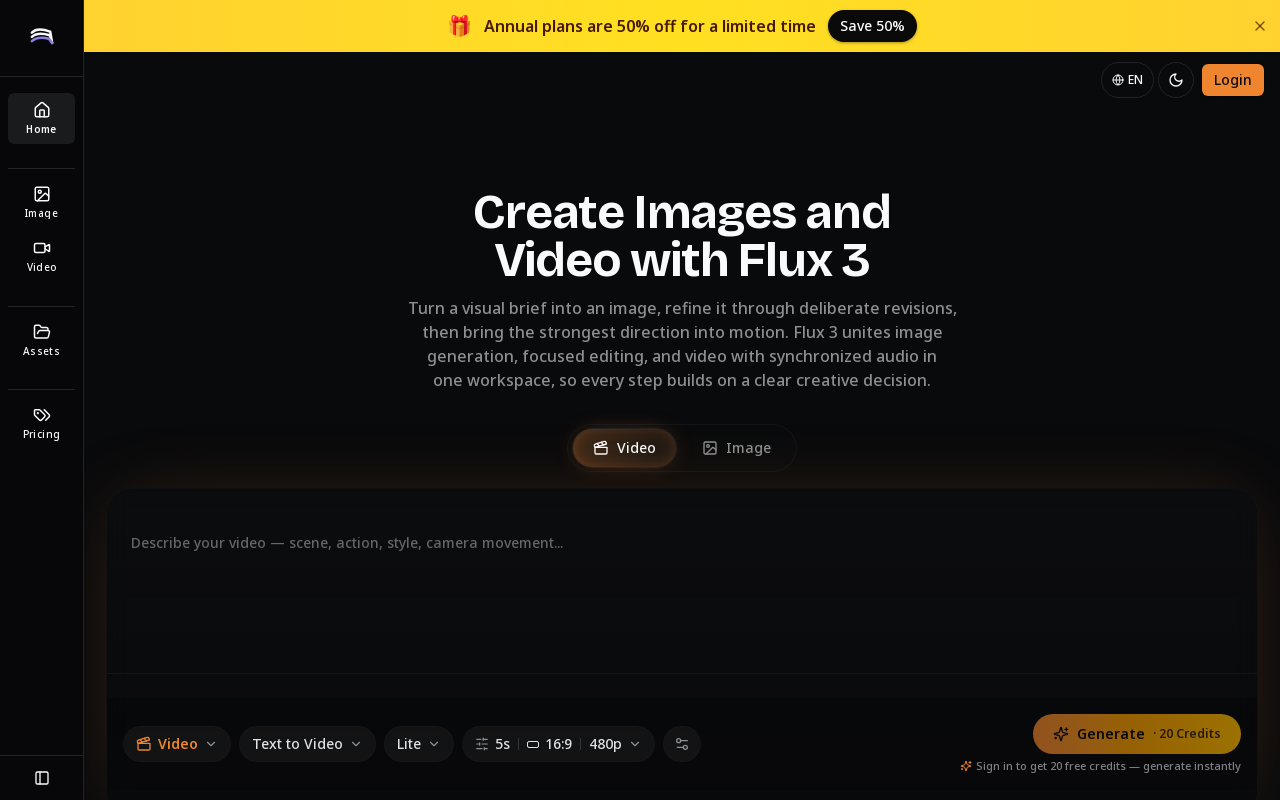
Flux 3 is a unified AI workspace for creating and transforming video, images, and audio. It enables users to generate visuals from prompts, refine them through iterative edits, and animate stills into video with synchronized audio.
Key facts
What is Flux 3?
Turn a visual brief into a finished direction through a repeatable loop of generation, focused editing, and motion with synchronized audio.
Who is Flux 3 best for?
Individual creators, creative professionals, and enterprises
Does Flux 3 have a free plan?
According to official sources, no free plan is currently offered. Official pricing
What does Flux 3 cost?
Verified starting price is USD 23.9 / month. View source
What are its main limitations?
- No free plan; only 20 free credits upon sign-in
- Credit system may limit heavy users on lower tiers
- No API or open-source option mentioned
- No team collaboration features described
Limitations are based on product materials or editorial synthesis; confirm on the official site.
When was this information verified?
July 25, 2026
Sources
- Official homepageofficial homepage · Jul 25, 2026
- Official pricingofficial pricing · Jul 25, 2026
Key features
- ✓Image generation from text prompts
- ✓Text-to-video generation
- ✓Image-to-video generation with synchronized audio
- ✓Focused iterative editing: revise one decision at a time while preserving stable elements
- ✓Structured prompt blueprints for common creative scenarios
- ✓Credit-based usage with multiple subscription tiers
- ✓Commercial use rights on Pro and Enterprise plans
Use cases
- →Product scene exploration and concept development
- →Campaign moodboarding and visual direction studies
- →Editorial key art with symbolic composition
- →Character look development with consistent visual anchors
- →Short video drafts with audio for social or internal review
- →Existing image refinement: remove distractions, rebalance color, simplify background
Pricing
Basic
$23.9/month
- · 1,000 credits/month
- · Standard speed
- · Basic support
- · No watermark
Pro
$34.9/month
- · 4,000 credits/month
- · High speed
- · Priority support
- · No watermark
- · Commercial use
Enterprise
$49.9/month
- · 8,000 credits/month
- · High speed
- · Priority support
- · No watermark
- · Commercial use
Monthly subscription from $23.9/month (Basic) to $49.9/month (Enterprise); annual plans offer 20-50% savings; 20 free credits on sign-in.
Pros
- +All-in-one workspace for image, video, and audio creation
- +Encourages deliberate iteration and preserves creative direction
- +Synchronized audio in video generation
- +Structured prompt blueprints help users craft effective prompts
- +High speed and priority support on Pro and Enterprise plans
Cons
- −No free plan; only 20 free credits upon sign-in
- −Credit system may limit heavy users on lower tiers
- −No API or open-source option mentioned
- −No team collaboration features described
Positioning
- Core value: Turn a visual brief into a finished direction through a repeatable loop of generation, focused editing, and motion with synchronized audio.
- Ideal for: Individual creators, creative professionals, and enterprises
Frequently asked questions
What is Flux 3?
Flux 3 is a unified AI workspace for creating and transforming video, images, and audio. It supports a workflow of generating visuals from prompts, revising through focused edits, and animating stills into video with synchronized audio.
What can I create with Flux 3?
You can create images, videos, and audio. Examples include product scenes, campaign moodboards, editorial key art, character designs, short video drafts, and refined existing images.
Can Flux 3 generate video with audio?
Yes, Flux 3 can generate short clips from text or image with synchronized audio when the concept calls for it.
How do I turn an image into a Flux 3 video?
Use the image-to-video feature: describe the camera move, subject action, pacing, and audio mood. Flux 3 will animate the still image while preserving the original direction you validated.
How should I write a Flux 3 prompt?
Start from a complete visual brief describing subject, setting, composition, light, palette, and intended use. Focus on one decision at a time for revisions and state what must remain stable.
Where should a new Flux 3 project begin?
Begin by defining a clear visual brief, generate a first result, evaluate it, then revise one priority at a time. Use the prompt blueprints as starting points for common scenarios.
You may also like
Curated suggestions based on similar categories.
HeyZoku
HeyZoku is a native macOS app that lets developers orchestrate multiple coding-agent CLIs (like Claude Code, Codex, Cursor, and Pi) side by side on a single canvas, controlled entirely by voice. It runs the CLIs already on your machine using your existing subscriptions, with on-device voice transcription for privacy and unlimited use. A one-time purchase grants lifetime updates, no subscription, and the ability to spawn, redirect, and interrupt agents by name.
Sitemap AI
Sitemap.ai crawls websites and generates XML sitemaps, llms.txt files, and clean per-page markdown from a single crawl. It helps websites get indexed by search engines and become visible to AI platforms like ChatGPT, Claude, Perplexity, and Gemini.
AI Email Generator
AI Email Generator is a free online tool that instantly turns a short brief into a polished subject line and email draft. Users select tone, intent, language, length, recipient details, and extra context to generate ready-to-edit emails without signing up.
Manga Translator
AI-powered manga translation tool that preserves context and layout, supporting over 50 languages, vertical/horizontal text detection, and batch processing of PDF/EPUB/CBZ files.
Coverfairy
Book cover design tool for self-publishers, offering AI art generation, editable typography, and print-ready exports for Amazon KDP, IngramSpark, Lulu, and Barnes & Noble Press.
SkinAI
SkinAI is an AI-powered personal skin diagnostics app that analyzes skin conditions from photos, tracks changes over time, and provides personalized recommendations. It also offers smart reminders, secure data storage, and rewards for engagement, with a future feature to consult a dermatologist.