
HeyZoku
HeyZoku is a native macOS app that lets developers orchestrate multiple coding-agent CLIs (like Claude Code, Codex, Cursor, and Pi) side by side on a single canvas, controlled entirely by voice. It runs the CLIs already on your machine using your existing subscriptions, with on-device voice transcription for privacy and unlimited use. A one-time purchase grants lifetime updates, no subscription, and the ability to spawn, redirect, and interrupt agents by name.
Key facts
What is HeyZoku?
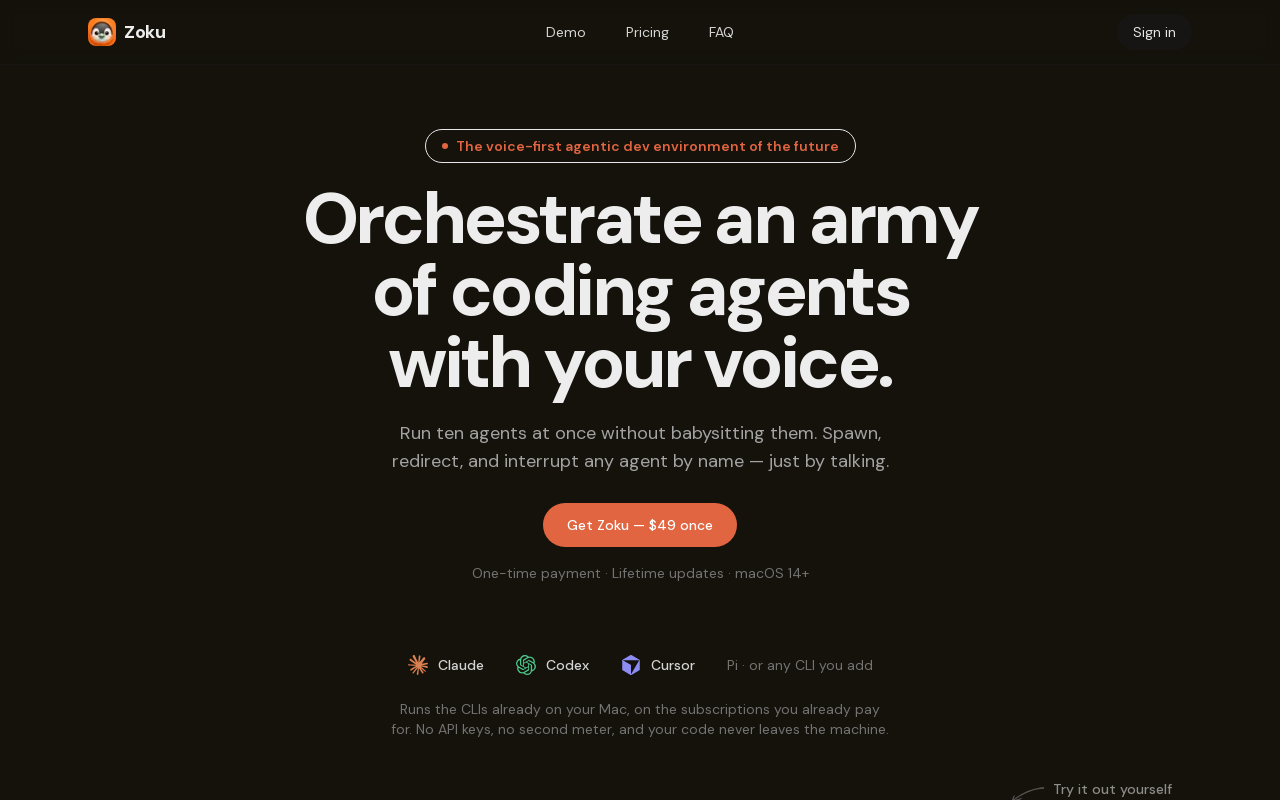
Run an army of coding agents in parallel, orchestrated by voice—on your Mac, with a single one-time payment.
Who is HeyZoku best for?
Software developers and teams who use AI coding assistants (Claude Code, Codex, Cursor, Pi) on macOS and want to manage multiple agents simultaneously.
What are its main limitations?
- Mac-only (macOS 14+; on-device voice requires Apple Silicon) – no Windows or Linux version planned.
- No free plan or free tier; only a trial code may be available during campaigns.
- Lacks on-device voice support on Intel Macs – requires Apple Silicon for that feature.
- Optional cloud companion (hands-free mode) requires extra Cloud credits purchased inside the app.
Limitations are based on product materials or editorial synthesis; confirm on the official site.
Key features
- ✓Voice-controlled agent orchestration – spawn, redirect, and interrupt agents by name using on-device voice recognition (Parakeet, free forever).
- ✓Multi-agent canvas – run up to ten agents side by side with live terminals; agents are named for easy reference.
- ✓Agent-to-agent orchestration – e.g., Claude can spawn a Codex agent to review a plan, wait for the result, and proceed.
- ✓Git worktree per agent – each agent runs in its own git worktree, automatically created from a branch name; nothing overwrites anything.
- ✓Spoken agent status – get verbal updates (e.g., 'Atlas finished') even when the Zoku window is closed, via chimes, spoken name, or notch marker.
- ✓Supports any CLI – Claude, Codex, Cursor, and Pi ship configured; add any other CLI with a launch command and a spoken name.
- ✓Window persistence – closing a window keeps agents running; reopening restores the same sessions and layout.
- ✓Optional cloud companion – an add-on that remembers projects, reads your screen on request, and acts in Slack, Gmail, and Sheets (requires Cloud credits, billed separately).
Use cases
- →Running multiple coding agents in parallel to tackle different parts of a project simultaneously.
- →Switching context between agents by voice (‘Switch to auth-fix’ or ‘Run tests on Atlas’) without hunting for tabs.
- →Automating multi-step development workflows where agents delegate tasks to each other (e.g., planning, reviewing, fixing).
- →Managing complex codebases with git worktrees – each agent gets its own isolated branch environment.
- →Receiving real-time status updates on agent progress without keeping the app focused, even from other applications.
Pricing
Zoku Lifetime (Early Access)
$49 once
- · Unlimited agents and workspaces
- · Lifetime updates
- · On-device voice control (free forever)
- · Agent-to-agent orchestration and git worktrees
- · Spoken agent status
One-time payment of $49 during early access (regularly $100), includes lifetime updates; optional Cloud credits for the hands-free companion are an in-app purchase.
Pros
- +One-time payment model ($49 early access, regularly $100) – no recurring subscription.
- +Runs on your existing subscriptions and CLIs – no new API keys or metering; code stays local.
- +On-device voice control is instant, private, and unlimited (no extra cost).
- +Supports any CLI, not just the three pre-configured ones, via custom launch commands.
- +Agent-to-agent orchestration enables automated delegation and collaboration between agents.
- +Persistent workspaces – closing a window doesn't kill the agent; sessions resume on restart.
Cons
- −Mac-only (macOS 14+; on-device voice requires Apple Silicon) – no Windows or Linux version planned.
- −No free plan or free tier; only a trial code may be available during campaigns.
- −Lacks on-device voice support on Intel Macs – requires Apple Silicon for that feature.
- −Optional cloud companion (hands-free mode) requires extra Cloud credits purchased inside the app.
- −No mention of API or integration with external tools beyond the listed CLIs (Slack/Gmail/Sheets only via the cloud companion).
Positioning
- Core value: Run an army of coding agents in parallel, orchestrated by voice—on your Mac, with a single one-time payment.
- Ideal for: Software developers and teams who use AI coding assistants (Claude Code, Codex, Cursor, Pi) on macOS and want to manage multiple agents simultaneously.
- Product type: Native macOS app (macOS 14+, Apple Silicon required for on-device voice)
Frequently asked questions
What exactly is Zoku?
A Mac app that runs your coding-agent CLIs side by side as live terminals on one canvas, and lets you spawn, redirect, and interrupt them by voice. Each agent gets a name, so you talk to Atlas instead of hunting for pane 3.
Do I need API keys, or will you meter my tokens?
Neither. Zoku launches the agent CLIs already on your Mac, on the subscriptions you already pay for, and your code never leaves the machine.
Which coding agents work with it?
Claude, Codex, Cursor, and Pi ship configured, plus a plain terminal. Add any other CLI with a launch command, the words you say to spawn it, and the key that interrupts it.
How much does it cost?
$49 once during early access, regularly $100. That's the whole app on every Mac you own, with every future update—no subscription, no per-agent charge.
Does the voice control cost anything to run?
No. Commands are transcribed on-device with Parakeet, so they're instant, private, and unlimited. Only the optional Cloud companion uses credits.
What are the requirements?
macOS 14 or later. On-device voice needs Apple Silicon, and Zoku asks for Microphone and Accessibility access on first launch.
You may also like
Curated suggestions based on similar categories.
Sitemap AI
Sitemap.ai crawls websites and generates XML sitemaps, llms.txt files, and clean per-page markdown from a single crawl. It helps websites get indexed by search engines and become visible to AI platforms like ChatGPT, Claude, Perplexity, and Gemini.
AI Email Generator
AI Email Generator is a free online tool that instantly turns a short brief into a polished subject line and email draft. Users select tone, intent, language, length, recipient details, and extra context to generate ready-to-edit emails without signing up.
Manga Translator
AI-powered manga translation tool that preserves context and layout, supporting over 50 languages, vertical/horizontal text detection, and batch processing of PDF/EPUB/CBZ files.
Flux 3
Flux 3 is a unified AI workspace for creating and transforming video, images, and audio. It enables users to generate visuals from prompts, refine them through iterative edits, and animate stills into video with synchronized audio.
Coverfairy
Book cover design tool for self-publishers, offering AI art generation, editable typography, and print-ready exports for Amazon KDP, IngramSpark, Lulu, and Barnes & Noble Press.
SkinAI
SkinAI is an AI-powered personal skin diagnostics app that analyzes skin conditions from photos, tracks changes over time, and provides personalized recommendations. It also offers smart reminders, secure data storage, and rewards for engagement, with a future feature to consult a dermatologist.