
IPTV Playlist
IPTV Playlist is a public M3U directory and browser-based utility set. It lists public IPTV playlist links organized by country, topic, language, and region from community sources, and lets users inspect, test, and analyze M3U streams.
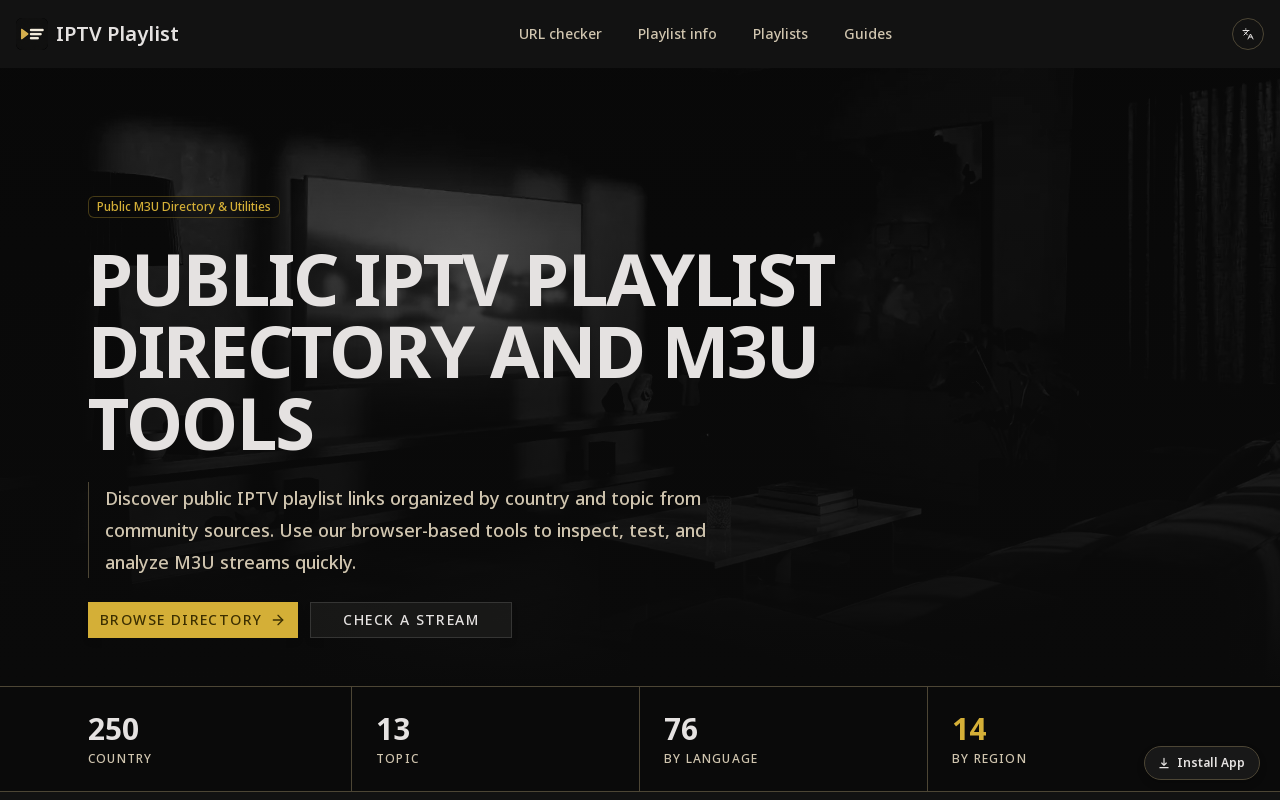
Key facts
What is IPTV Playlist?
A free-to-browse directory and set of browser tools for finding and testing publicly available IPTV M3U playlists organized by country, topic, language, and region.
Who is IPTV Playlist best for?
Users looking for public IPTV playlists, viewers browsing country/topic channel lists, and people who need to test or analyze M3U stream URLs
What are its main limitations?
- Pricing page returns a 404, so no cost information is published on the site
- Playlists are aggregated from community sources rather than produced in-house
- No account, API, or developer documentation is described in the available page text
- Listings are only as good as the underlying public streams they point to
Limitations are based on product materials or editorial synthesis; confirm on the official site.
When was this information verified?
September 25, 2026
Sources
- Official homepageofficial homepage · Sep 25, 2026
Key features
- ✓Public IPTV playlist directory with country listings such as Brazil, Germany, France, India, Japan, United Kingdom, and United States
- ✓Topic-based directories including Sports Playlist and Football Playlist
- ✓Browse playlists by language and by region (Europe, Asia, Americas, Africa, Oceania, Other)
- ✓URL checker tool to test a stream or playlist link
- ✓Playlist info tool to inspect M3U playlist details
- ✓Guides section alongside the playlist directory
- ✓Featured lists highlighting frequently accessed country and topic directories
- ✓Language switching on the site
Use cases
- →Find publicly available sports or football channels by opening a topic playlist list
- →Open a country list (e.g., Brazil, Germany, Ukraine) and pick a channel
- →Paste a playlist URL into the URL checker to see whether it works
- →Inspect an M3U playlist's metadata using the playlist info tool
- →Filter open streams by region, genre, or diagnostic utility
Pros
- +Covers a wide range of countries, including many European, Asian, and American territories
- +Organized by country, topic, language, and region for easier discovery
- +Includes browser-based testing and analysis utilities (URL checker, playlist info)
- +Provides guides and featured lists in addition to raw playlist links
- +Multi-language site interface
Cons
- −Pricing page returns a 404, so no cost information is published on the site
- −Playlists are aggregated from community sources rather than produced in-house
- −No account, API, or developer documentation is described in the available page text
- −Listings are only as good as the underlying public streams they point to
Positioning
- Core value: A free-to-browse directory and set of browser tools for finding and testing publicly available IPTV M3U playlists organized by country, topic, language, and region.
- Ideal for: Users looking for public IPTV playlists, viewers browsing country/topic channel lists, and people who need to test or analyze M3U stream URLs
- Product type: Web app (browser-based directory and tools)
Frequently asked questions
What is IPTV Playlist?
It is a public IPTV playlist directory and set of M3U tools. It lists public IPTV playlist links organized by country and topic from community sources, and provides browser-based tools to inspect, test, and analyze M3U streams.
How does IPTV Playlist work?
You paste a playlist URL or open a country list, then pick a channel. The site also offers a URL checker and a playlist info tool for testing and analyzing M3U streams.
How much does IPTV Playlist cost?
No pricing information is published on the site — the pricing page returns a 404 error, so cost details are not available from the provided content.
How can I browse playlists?
You can browse by country and by topic, and filter open streams by region, genre, or diagnostic utility. The site also offers 'By Language' and 'By Region' groupings.
Does IPTV Playlist provide an API?
The available page text does not mention an API. The tools described are browser-based (URL checker and playlist info).
You may also like
Curated suggestions based on similar categories.
DEV·TV
Dev TV! is an independently owned online streaming/media platform operated under Devin J. Ricks Productions that showcases motion pictures, web-series, interviews and entertainment content. Subscribers get unlimited streaming access to its original content on TVs, computers and mobile devices after a 7-day free trial.
Hyperdream
Hyperdream is an end-to-end AI filmmaking studio that takes users from script to finished film in one platform. It combines AI scriptwriting, style design, AI character casting with voice cloning, storyboarding, cinematic video generation, and a built-in non-destructive video editor, maintaining continuous context so characters and style stay consistent across every scene.
Cutsio
Cutsio is an AI-powered video MAM (media asset management) platform that lets video teams search every frame of their library by people, dialogue, objects and scenes, then upload, organize, review and deliver from one workspace. It combines visual search, transcript search and agentic chat with share links, collections, upload requests and Drive imports.
PAMA AI
PAMA AI is an AI comic generator that turns one script into structured scenes, consistent characters, directed storyboards, motion clips, and sound inside a single studio workspace. It keeps a reusable character bible, location bible, shot prompts, and credit usage connected to the same project so creators can direct a sequence scene by scene.
Flux 3 video
Flux 3 is an independent preview site for a multimodal AI image and video generator that combines text-to-image, image-to-video, native audio, and action prediction in a single creative workflow. The live playground currently uses FLUX.2 for image generation and Wan 2.2 for video generation while official FLUX 3 access remains coming soon.
Flux 3
Flux 3 is a unified AI workspace for creating and transforming video, images, and audio. It enables users to generate visuals from prompts, refine them through iterative edits, and animate stills into video with synchronized audio.