
PDF Translate
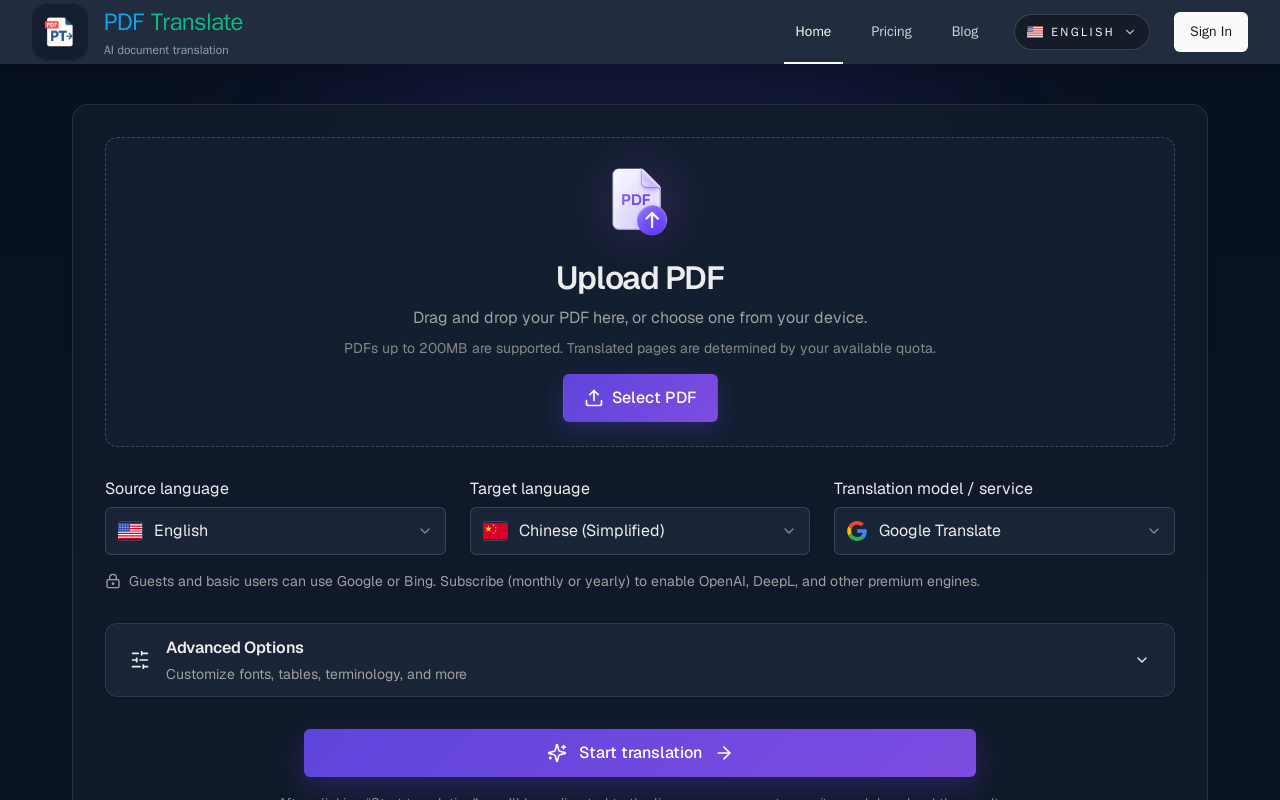
PDF Translate is a browser-based AI tool that translates PDFs while preserving layout, fonts, tables, and images. It supports over 60 languages and multiple translation engines, including Google Translate, Bing Translate, OpenAI, and DeepL. Users can upload PDFs up to 200MB, choose source and target languages, and download single-language or bilingual PDFs in seconds.
Key facts
What is PDF Translate?
Translate PDFs with AI while preserving layout, fonts, tables, and images, without installing software.
Who is PDF Translate best for?
Students, researchers, business professionals, and anyone working with multilingual documents.
Does PDF Translate have a free plan?
According to official sources, a free plan is available. Official pricing
What are its main limitations?
- Free tier limited to Google and Bing translation engines
- Premium engines (OpenAI, DeepL) require subscription or pay-per-use pack
- Pay-per-use packs are one-time purchases, not monthly subscriptions
Limitations are based on product materials or editorial synthesis; confirm on the official site.
When was this information verified?
July 29, 2026
Sources
- Official homepageofficial homepage · Jul 29, 2026
- Official pricingofficial pricing · Jul 29, 2026
Key features
- ✓Supports PDFs up to 200MB
- ✓Over 60 languages (more than 100 language pairs)
- ✓Multiple translation engines: Google, Bing (free), OpenAI, DeepL (premium)
- ✓Preserves layout, fonts, tables, formulas, and images
- ✓Offers summaries, full translations, and document Q&A
- ✓Downloads available as single-language or dual-column (bilingual) PDFs
- ✓Scanned page support via OCR
- ✓Secure with TLS encryption, GDPR-aligned retention, and single-click purge
Use cases
- →Translating academic papers and research documents
- →Converting business contracts and legal documents
- →Localizing technical manuals and user guides
- →Creating bilingual lesson decks or educational materials
- →Reviewing foreign-language patents or regulatory filings
Pricing
Free
$0
- · 10 free translated pages per day
- · Access to Google and Bing translation models
- · Full layout preservation
Starter Pack
$9.9
- · Approximately 300 standard PDF pages
- · Pay once, no subscription
- · Access to Google and Bing translation models
- · Layout preservation
Standard Pack
$24.9
- · Approximately 1,200 standard PDF pages
- · Pay once, no subscription
- · Access to Google, Bing, OpenAI, DeepL, DeepLX, Ollama, and more
- · High-quality layout preservation
Bulk Pack
$59.9
- · Approximately 4,000 standard PDF pages
- · Pay once, no subscription
- · Access to all premium translation engines
- · Priority processing for large files
- · Advanced prompt controls and longer file retention
Free plan with 10 pages per day; pay-per-use packs from $9.90 for 300 pages; subscription also available (prices not disclosed).
Pros
- +Preserves original document layout and formatting
- +No software installation required; works on any device
- +Free tier available with 10 pages per day
- +Supports large files (up to 200MB) and scanned pages
- +Multiple translation engines to choose from
Cons
- −Free tier limited to Google and Bing translation engines
- −Premium engines (OpenAI, DeepL) require subscription or pay-per-use pack
- −Pay-per-use packs are one-time purchases, not monthly subscriptions
Positioning
- Core value: Translate PDFs with AI while preserving layout, fonts, tables, and images, without installing software.
- Ideal for: Students, researchers, business professionals, and anyone working with multilingual documents.
- Product type: Web application (browser-based)
Frequently asked questions
How do I translate a PDF?
Upload your PDF, choose source and target languages, and click 'Start translation'. The AI processes the file and you can download the translated PDF.
Is PDF translation free?
Yes, there is a free plan that includes 10 translated pages per day using Google or Bing translation models.
How long does a translation take?
The tool streams results quickly; long-form PDFs can be translated in seconds, allowing you to skim a summary or download the full file immediately.
Can I switch translation engines?
Yes, free users can choose between Google Translate and Bing Translate. Subscribers or pay-per-use pack buyers can also select OpenAI, DeepL, and other premium engines.
Will the PDF layout remain intact?
Yes, the tool preserves layout, fonts, tables, formulas, and images so the translated PDF is publication-ready.
Does it support large or long PDFs?
Yes, PDFs up to 200MB are supported. The tool handles academic papers, annual reports, and multi-contract bundles.
You may also like
Curated suggestions based on similar categories.
RedditFind
AI Reddit growth agent that drafts native posts and researches communities for marketing and product insights.
Bonemeal
AI growth engineer for SEO and content automation
Zens AI
AI & developer tools - AI customer support for SaaS
StudyEdge AI
StudyEdge AI is an AI study coach that automatically builds your weekly schedule, plans every session minute-by-minute, and runs study sessions with flashcards, quizzes, and active recall. One app for the entire semester.
ShogunAI
Shogun AI is a set of generative AI and optimization features from Shogun, a no-code ecommerce page builder. It helps established merchants with complex needs scale store content more efficiently and was released alongside Shogun Insights as the first milestones in an expanded product vision.
InnerBloom AI
InnerBloom AI is an online subliminal audio maker that generates personalized, transparent affirmations using AI. Users type their desires, choose an ultra-realistic AI voice and background frequency, and receive a lossless .WAV file for permanent offline listening.