
PDF to VIDEO Converter
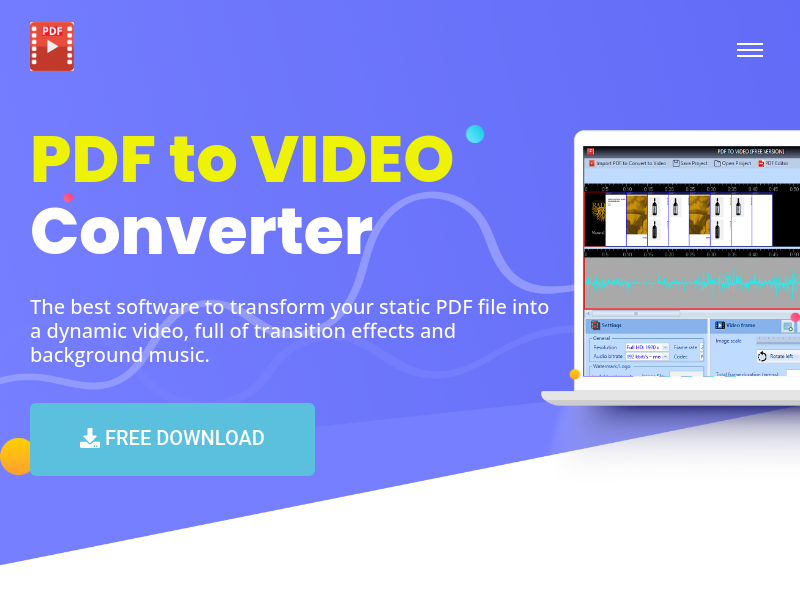
Desktop software to convert PDF, PowerPoint, Excel, and Word documents into MP4 video files with transition effects, background music, and customizable settings. High-resolution output up to 4K is supported, and an integrated PDF editor allows source document editing before conversion.
Key facts
What is PDF to VIDEO Converter?
Transform static PDF files into dynamic videos with transition effects and background music for easy sharing on social media and platforms.
Who is PDF to VIDEO Converter best for?
Businesses, marketers, educators, content creators, and anyone needing to share PDF presentations as video
What are its main limitations?
- Free version adds 'VideoToPDF.com' watermark to output video
- PRO version requires annual subscription ($24.99/year)
- Only available as desktop software (not web-based)
Limitations are based on product materials or editorial synthesis; confirm on the official site.
Key features
- ✓Convert PDF to MP4 video (Full HD, 2K, 4K resolution)
- ✓Add transition effects (10+ effects, random apply)
- ✓Add background music to video
- ✓Integrated PDF editor (edit text, add/remove pages)
- ✓Convert PowerPoint, Excel, and Word files to MP4 video
- ✓Add custom watermark or logo with opacity (PRO version only)
- ✓Detailed video preview before conversion
- ✓Save project and settings for future use
Use cases
- →Create YouTube videos from PDF presentations without redoing slides
- →Share dynamic videos on social media (Instagram, TikTok, Facebook)
- →Display PDF content on devices without a PDF viewer
- →Add branding (logo/watermark) to PDF-based videos
- →Edit source PDF and then convert to video with music and transitions
Pricing
Free
$0
- · High video quality
- · 10+ transition effects
- · Add background music
- · Free PDF editor integrated
- · Preview video
- · Word/PPT/Excel to video
- · 'VideoToPDF.com' watermark added
Pro
$24.99/year
- · High video quality
- · 10+ transition effects
- · Add background music
- · Free PDF editor
- · Preview video
- · Word/PPT/Excel to video
- · Add your own watermark or logo
- · Create unlimited video
- · Free technical support and upgrades
Free plan available with watermark; PRO version at $24.99/year removes watermark and adds logo support.
Pros
- +High quality output up to 4K
- +Supports multiple input formats (PDF, PPT, Excel, Word)
- +Easy to use with preview and settings
- +Free version available
- +Watermark and logo customization in PRO version
Cons
- −Free version adds 'VideoToPDF.com' watermark to output video
- −PRO version requires annual subscription ($24.99/year)
- −Only available as desktop software (not web-based)
Positioning
- Core value: Transform static PDF files into dynamic videos with transition effects and background music for easy sharing on social media and platforms.
- Ideal for: Businesses, marketers, educators, content creators, and anyone needing to share PDF presentations as video
- Product type: Desktop software (download for Windows/Mac)
Frequently asked questions
What is PDF to Video Converter?
It is desktop software that converts PDF, PowerPoint, Excel, and Word files into MP4 video files with transition effects and background music.
What video qualities are supported?
The software supports Full HD, 2K, and 4K resolution.
Can I add my own logo or watermark?
Yes, with the PRO version you can add a custom watermark or logo with adjustable opacity.
Is there a free version?
Yes, a free version is available but it adds a 'VideoToPDF.com' watermark to the output video.
How much does the PRO version cost?
The PRO version costs $24.99 per year and includes all features plus technical support and upgrades.
What input file formats are supported?
PDF, PPT, PPTX, XLS, XLSX, DOC, and DOCX files can be converted to MP4 video.
You may also like
Curated suggestions based on similar categories.
IPTV Playlist
IPTV Playlist is a public M3U directory and browser-based utility set. It lists public IPTV playlist links organized by country, topic, language, and region from community sources, and lets users inspect, test, and analyze M3U streams.
DEV·TV
Dev TV! is an independently owned online streaming/media platform operated under Devin J. Ricks Productions that showcases motion pictures, web-series, interviews and entertainment content. Subscribers get unlimited streaming access to its original content on TVs, computers and mobile devices after a 7-day free trial.
Hyperdream
Hyperdream is an end-to-end AI filmmaking studio that takes users from script to finished film in one platform. It combines AI scriptwriting, style design, AI character casting with voice cloning, storyboarding, cinematic video generation, and a built-in non-destructive video editor, maintaining continuous context so characters and style stay consistent across every scene.
Cutsio
Cutsio is an AI-powered video MAM (media asset management) platform that lets video teams search every frame of their library by people, dialogue, objects and scenes, then upload, organize, review and deliver from one workspace. It combines visual search, transcript search and agentic chat with share links, collections, upload requests and Drive imports.
PAMA AI
PAMA AI is an AI comic generator that turns one script into structured scenes, consistent characters, directed storyboards, motion clips, and sound inside a single studio workspace. It keeps a reusable character bible, location bible, shot prompts, and credit usage connected to the same project so creators can direct a sequence scene by scene.
Flux 3 video
Flux 3 is an independent preview site for a multimodal AI image and video generator that combines text-to-image, image-to-video, native audio, and action prediction in a single creative workflow. The live playground currently uses FLUX.2 for image generation and Wan 2.2 for video generation while official FLUX 3 access remains coming soon.