
AI Maker Pro: Video Art Design
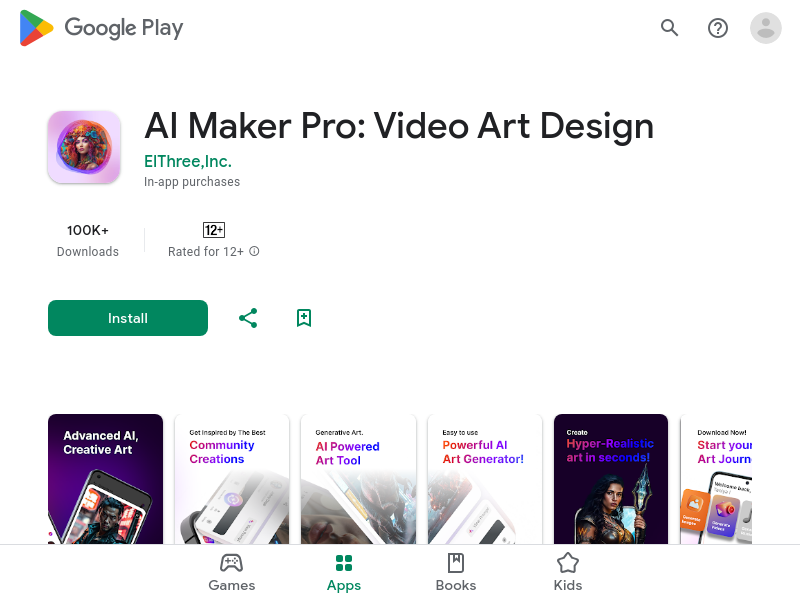
AI Maker Pro is an Android app that combines text-to-image generation, AI video creation (image-to-video and text-to-video), and a chat-based image editor called Image Lab. Users can generate visuals from text prompts, animate still photos, and browse a community gallery for inspiration.
Key facts
What is AI Maker Pro: Video Art Design?
Turn your ideas into visual reality with professional-grade tools that are as easy as chatting with a friend.
Who is AI Maker Pro: Video Art Design best for?
Content creators, social media users, artists, and anyone needing quick AI-generated visuals on mobile
What are its main limitations?
- Some users report credit‑based limitations and difficulty upgrading
- A few reviews mention poor generation quality or app not working as expected
- Pricing details are not publicly listed (in‑app purchases present)
Limitations are based on product materials or editorial synthesis; confirm on the official site.
Key features
- ✓Image Lab: chat‑based image editing using text instructions and up to 3 reference images
- ✓Text‑to‑Image generation with 10 aspect ratios (1:1, 9:16, 16:9, 4:5, etc.) and reference image support
- ✓Image‑to‑Video: convert still images into videos in Square, Vertical, or Horizontal formats
- ✓Text‑to‑Video via Kling model (4‑second videos) and Minimax/Wan models (5‑second videos)
- ✓Wan model supports 480p, 580p, and 720p video quality
- ✓Personal Gallery to save, modify, and download all creations
- ✓Community ‘Best Of’ feed to browse others’ prompts and creations
Use cases
- →Create social media posts with custom images and short videos
- →Generate wallpapers or creative inspiration from text descriptions
- →Animate personal photos or AI‑generated art into moving clips
- →Edit existing photos by chatting with the AI
- →Explore community‑shared prompts for creative ideas
Pros
- +Simple, conversational interface makes advanced editing accessible
- +Multiple AI models (Kling, Minimax, Wan) for diverse video generation
- +Flexible aspect ratios and resolution options
- +Built‑in community gallery for inspiration and sharing
Cons
- −Some users report credit‑based limitations and difficulty upgrading
- −A few reviews mention poor generation quality or app not working as expected
- −Pricing details are not publicly listed (in‑app purchases present)
Positioning
- Core value: Turn your ideas into visual reality with professional-grade tools that are as easy as chatting with a friend.
- Ideal for: Content creators, social media users, artists, and anyone needing quick AI-generated visuals on mobile
- Product type: Android mobile app
Frequently asked questions
What is AI Maker Pro?
AI Maker Pro is an Android app that lets you generate images from text, edit photos via chat, create videos from still images or text prompts, and explore a community gallery.
What AI models are used for video generation?
The app uses the Kling model for 4‑second videos and Minimax (16:9) or Wan (Square, Vertical, Horizontal) models for 5‑second videos.
Can I use my own photos?
Yes, you can upload photos from your gallery or import images for editing with the Image Lab or for image‑to‑video conversion.
What aspect ratios are supported?
The app supports 10 different aspect ratios including 1:1, 9:16, 16:9, 4:5, and more for images and videos.
Where are my creations saved?
All creations are saved to your personal Gallery, where you can modify, download, or share them at any time.
Is there a community feature?
Yes, the app includes a ‘Best Of’ community feed where you can see what other users are creating, view their prompts, and like favorites.
You may also like
Curated suggestions based on similar categories.
PopUGC
PopUGC is a browser-based AI content creation platform whose AI Image to Image Generator transforms an uploaded reference photo into a new image guided by a text prompt. The same credit package covers AI image generation, text-to-image, text-to-video, and image-to-video tools, with upscaling, watermark-free downloads, and batch generation.
Photo to Action Figure
Photo to Action Figure is an AI image generator that turns one photo of a person or pet into a product-style custom action figure image. Users upload a single clear photo, pick from six collectible packaging styles, adjust crop and position, and download a private, watermark-free image on paid plans. The output is a digital collectible image only—no physical toy is manufactured or shipped.
ProductShot AI
ProductShot AI is a browser-based AI product photography workspace for ecommerce sellers, marketers, and small teams. It turns a single uploaded product image into white-background photos, studio shots, lifestyle scenes, marketplace listing images, and campaign creative.
DigiBouquet AI
DigiBouquet AI lets you build a digital flower bouquet by hand for free or generate an AI-designed arrangement from a short prompt, attach a personal note card, and share it as a gift link, PNG download, or story-ready image. Recipients open the gift link on any phone without an app install or account.
Flux 3 video
Flux 3 is an independent preview site for a multimodal AI image and video generator that combines text-to-image, image-to-video, native audio, and action prediction in a single creative workflow. The live playground currently uses FLUX.2 for image generation and Wan 2.2 for video generation while official FLUX 3 access remains coming soon.
minia.art
minia.art is an AI-powered pixel art generator that creates grid-aligned, style-consistent, limited-color pixel art from text prompts. It is designed for casual creators who want game-ready sprites, scenes, avatars, wallpapers, and social media assets without needing to learn sprite editors.