
Flow by Wispr
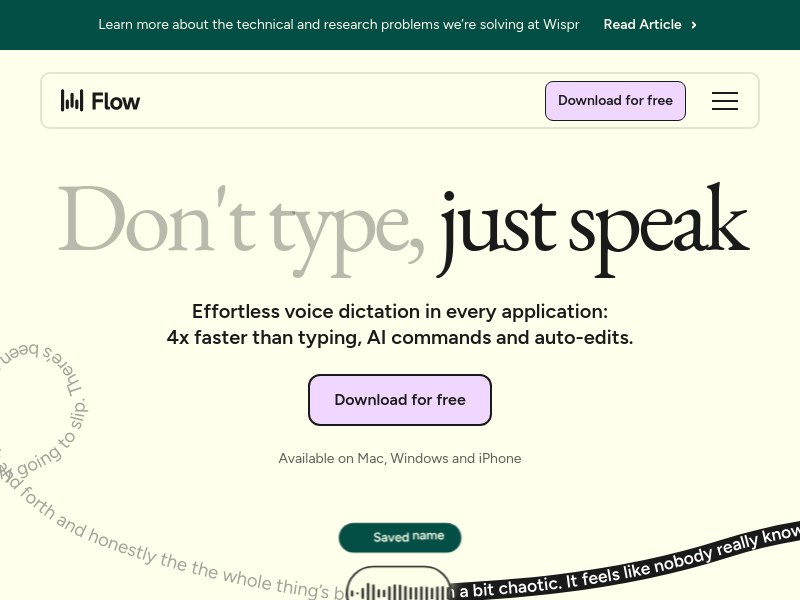
Flow by Wispr is a voice-to-text AI that turns messy speech into polished, clear writing across all applications on Mac, Windows, iPhone, and Android. It claims to be 4x faster than typing and adapts to various professional workflows with features like AI Auto Edits, personal dictionary, and multi-language support.
Key facts
What is Flow by Wispr?
Speak at the speed of thought and get polished text 4x faster than typing, anywhere you work.
Who is Flow by Wispr best for?
Professionals, creators, developers, students, lawyers, sales teams, customer support agents, leaders, and accessibility users.
What are its main limitations?
- Free plan has word limits: 2,000 words/week on Mac/Windows, 1,000 on iPhone
- Some advanced features (command mode, unlimited words) require Pro subscription
- Pro pricing is per user per month, which may add up for teams
Limitations are based on product materials or editorial synthesis; confirm on the official site.
Key features
- ✓AI Auto Edits: automatically removes filler words and typos from speech
- ✓Personal dictionary that learns unique words and names
- ✓Snippet library for voice shortcuts to frequently used text
- ✓Support for 100+ languages with automatic language detection
- ✓Command mode for editing via voice (Pro)
- ✓Privacy mode and HIPAA-ready on all plans
- ✓SOC 2 Type II and ISO 27001 compliance (Enterprise)
- ✓Team collaboration features and centralized admin controls (Pro/Enterprise)
Use cases
- →Resolving customer support tickets 4x faster by speaking replies
- →Dictating code and commit messages in Cursor or VS Code
- →Drafting case notes and legal documents with precise transcription
- →Capturing content ideas and replying to DMs without typing
- →Writing essays, study notes, and cover letters for students
- →Providing accessibility for users with repetitive strain injuries or conditions like Parkinson's
Pricing
Basic
$0
- · 2,000 words/week on Mac or Windows
- · 1,000 words/week on iPhone
- · Unlimited words/week on Android (limited time)
- · Custom dictionary and snippets
- · Support for 100+ languages
- · Privacy mode
- · HIPAA-ready
Pro Monthly
€15/user/mo
- · Everything in Basic plus:
- · Unlimited words per week on all platforms
- · Prioritized support and feature requests
- · Command mode for editing
- · Early access to new features
- · Team collaboration features
Pro Annual
€12/user/mo
- · Everything in Basic plus:
- · Unlimited words per week on all platforms
- · Prioritized support and feature requests
- · Command mode for editing
- · Early access to new features
- · Team collaboration features
Enterprise
Contact us
- · Everything in Pro plus:
- · Dedicated support
- · SOC 2 Type II and ISO 27001 compliance
- · Enforced HIPAA compliance
- · Enforced Privacy Mode
- · SSO/SAML
- · Advanced usage dashboards
- · Bulk pricing discounts
- · Dedicated IT admin seats
Free plan available with word limits; Pro from €12/user/mo billed annually (€15 monthly); Enterprise custom pricing. Students get three months free.
Pros
- +Works across all apps and devices seamlessly
- +AI Auto Edits produces clean, professional text from rambling speech
- +Personal dictionary and snippets save time on repetitive phrases
- +Supports 100+ languages and HIPAA compliance for sensitive work
- +Users report 4x faster output and improved flow state
Cons
- −Free plan has word limits: 2,000 words/week on Mac/Windows, 1,000 on iPhone
- −Some advanced features (command mode, unlimited words) require Pro subscription
- −Pro pricing is per user per month, which may add up for teams
Positioning
- Core value: Speak at the speed of thought and get polished text 4x faster than typing, anywhere you work.
- Ideal for: Professionals, creators, developers, students, lawyers, sales teams, customer support agents, leaders, and accessibility users.
- Product type: Desktop and mobile app (Mac, Windows, iPhone, Android) with browser demo available.
Frequently asked questions
What is Flow by Wispr?
Flow is a voice-to-text AI that converts speech into polished, clear writing in any application on Mac, Windows, iPhone, and Android. It uses AI Auto Edits to remove filler words and typos.
How is Flow better than built-in voice-to-text?
Flow turns messy speech into polished text with AI Auto Edits, supports over 100 languages, learns your personal vocabulary, and works across all apps on desktop and mobile seamlessly.
What platforms does Flow support?
Flow is available on Mac, Windows, iPhone, and Android. It runs natively on each platform and syncs your settings across devices.
Is my data secure and private?
Flow offers Privacy Mode on all plans and is HIPAA-ready. Enterprise plans include enforced HIPAA compliance, SOC 2 Type II and ISO 27001 compliance, and SSO/SAML.
Does Flow support languages other than English?
Yes, Flow automatically detects and transcribes in over 100 languages, allowing you to switch between them naturally.
Is there a free trial?
Yes, you can start with a 14-day free trial of Flow Pro with no credit card required. There is also a free Basic plan with word limits.
You may also like
Curated suggestions based on similar categories.
10xJoy
10xJoy is an AI business matchmaker named Joy that helps businesses discover the outcomes they want and connects them with builders who can deliver them. It also provides a builder leaderboard where clients can browse and contact the most-requested builders.
Murkaverse
AI-powered dream interpretation app with personalized analysis, dream journal, pattern analytics, and sleep insights
Finamie
Finamie is a voice-first personal finance app for iOS that automatically logs transactions and generates personalized financial insights from spoken descriptions. Available in English and Spanish, it offers a free tier and a Premium subscription.
Notate
Notate is a browser extension that lets you highlight text, videos, and PDFs, then instantly syncs everything to your Notion or Obsidian workspace. It includes AI-powered chat, page chat, screenshots, and email reminders to help capture and organize information without disrupting your workflow.
JobHawk
JobHawk is a job search tracking tool with AI-powered interview preparation. It provides AI-generated company briefs, predicted questions, and an Application Health Score to help job seekers stay organized and prepared.
PureBox.ai
PureBox is an AI-powered Gmail tool that scans your inbox and sorts emails into three tracks—Attention, Archive, and Trash—based on sender patterns and your past behavior. You review and approve all actions before anything moves, making cleanup safe and reversible. The free plan offers a one-time sample scan of up to 1,000 emails; the Pro plan provides continuous, real-time sorting for your entire inbox.