
CinemaDrop
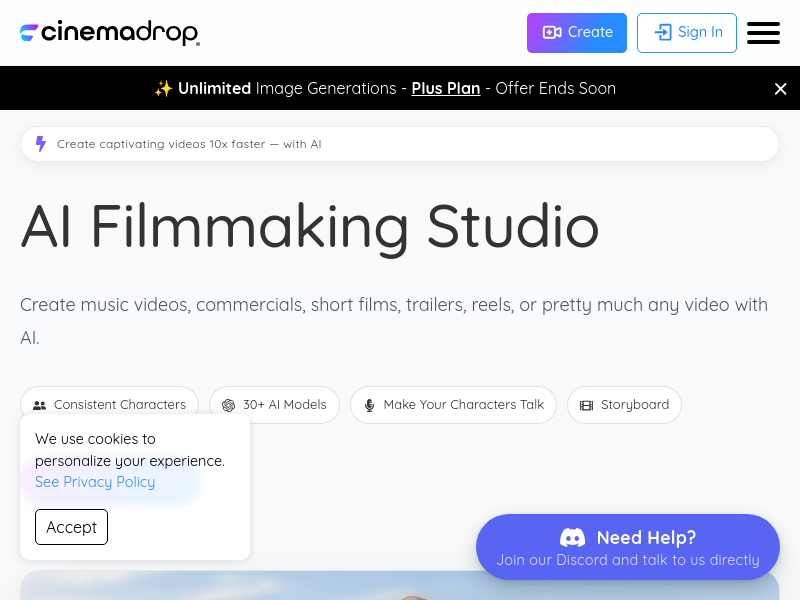
CinemaDrop is an all-in-one AI filmmaking studio that takes a single idea through script generation, storyboard creation, consistent character tagging, and final video export. It integrates 30+ AI models for image, video, and audio generation, with features like lip sync, scene consistency, and multi-style support.
Key facts
What is CinemaDrop?
One prompt. Full film — script, storyboard, and final video from a single idea.
Who is CinemaDrop best for?
Filmmakers, content creators, advertising agencies
What are its main limitations?
- Unused monthly credits do not roll over
- Free Lite plan is for personal/non-commercial use only
- Credit system can be complex for heavy users (e.g., videos cost 4+ credits per second)
Limitations are based on product materials or editorial synthesis; confirm on the official site.
Key features
- ✓AI script generator: drafts a complete script from a description with scenes, dialogue, and structure
- ✓Storyboard builder: breaks script into scenes and shots, generates each shot with AI
- ✓Character tagging: tag characters in any shot and AI maintains consistent appearance across scenes
- ✓Scene consistency: locks in lighting, color grade, and mood at the scene level
- ✓30+ AI models: access models like Seedance 2.0, Veo 3.1, Kling 3.0, GPT Image 2, ElevenLabs, and more
- ✓Lip sync: make characters speak with any voice (text-to-speech, speech-to-speech, music generation)
- ✓Image editor: change anything in images via text prompts (e.g., remove people, change colors)
- ✓Video editor: edit videos by describing changes (e.g., restyle, reframe, modify elements)
Use cases
- →Filmmaking: produce a complete short film from concept to final export
- →Content creation: generate consistent characters and scenes for social media or brand content
- →Advertising: create storyboards and polished video ads with lip sync and voiceover
- →Animation: produce animated stories with styles like Pixar, anime, cartoon, and claymation
- →Storytelling: turn a written idea into a structured script with visual storyboard
- →Education: create explainer videos with consistent visual elements and professional audio
Pricing
Lite
$0
- · 50 one-time credits
- · Unlimited storyboards, unlimited elements, 50 shots per scene, 100 scenes per storyboard
- · Scriptwriting (idea to concepts to outline to script)
- · AI Image (65+ styles, image editing, text to image, image to image)
- · AI Audio (50+ voices, text to speech, text to sound effects)
- · Personal use only
Basic
$8/mo
- · 700 credits per month
- · Everything in Lite +
- · AI Video (start/end frame control, lip sync, faster generations, no watermark, video editing, video upscaling)
- · Commercial use
- · Export storyboard
Plus
$19/mo
- · 1,800 credits per month
- · Everything in Basic +
- · AI Video models: Seedance 2.0, Seedance 2.0 Fast
- · AI Audio: AI music generation, speech to speech
Pro
$39/mo
- · 4,000 credits per month
- · Everything in Plus +
- · Priority email support
- · Early access to new AI models
- · Beta feature access
Max
$249/mo
- · 30,000 credits per month
- · Everything in Pro +
- · Dedicated account support
- · Fastest response times
- · First access to newest models
- · Ideal for studios & high-volume creators
Enterprise
Custom
- · Full access to all features
- · Flexible credit options for high-volume usage
- · Scalable solutions for large projects and enterprises
Free Lite plan with 50 one-time credits; paid plans from $8/mo (Basic) to $249/mo (Max); Enterprise available with custom pricing.
Pros
- +All steps from script to video in one platform
- +Consistent characters and scene elements across the entire project
- +Access to 30+ leading AI models under one subscription
- +Free tier available to start without commitment
Cons
- −Unused monthly credits do not roll over
- −Free Lite plan is for personal/non-commercial use only
- −Credit system can be complex for heavy users (e.g., videos cost 4+ credits per second)
Positioning
- Core value: One prompt. Full film — script, storyboard, and final video from a single idea.
- Ideal for: Filmmakers, content creators, advertising agencies
Frequently asked questions
How does CinemaDrop help with filmmaking?
It takes you from a raw idea to a finished video in four steps: write a script, define elements (characters/objects/environments), build a storyboard using 30+ AI models, and export with lip sync, voiceovers, music, and sound effects — all inside one platform.
How do I get started with creating an AI video?
Sign up for free on the website. From the homepage, you can jump into Storyboard, Script, Images, or Video generation — or use the Story Builder field to let the platform guide you from concept to creation.
Do you have a Free plan?
Yes, signing up gives you the Lite plan free, which includes 50 one-time credits. You can upgrade to a monthly plan at any time.
How is CinemaDrop different from Higgsfield AI, LTX Studio, or Kling?
Kling is only a video generation model with no script or storyboard. Higgsfield AI is short-form with character consistency but lacks a full production pipeline. LTX Studio is closest but its character consistency is unreliable and its credit system is opaque. CinemaDrop offers a complete end-to-end pipeline with script, storyboard, consistent characters, and multi-model support.
How do credits work?
Credits are the currency for platform features. Each action (image generation, video generation, lip sync, speech, sound effects) consumes credits at varying rates. Monthly subscriptions provide a fixed number of credits; unused credits do not roll over. You can purchase Bonus Credits as a one-time top-up if needed.
What is the difference between personal and commercial use?
The Lite plan is strictly for personal, non-commercial use (no promotions, sponsorships, or partnerships). All other plans (Basic and above) support full commercial use for business-related projects.
You may also like
Curated suggestions based on similar categories.
Specreel
Specreel turns recorded Playwright browser flows into narrated, hosted product demos that re-check themselves on a schedule. The CLI renders galleries from trace.zip files and republishes on every green build, and Specreel Cloud hosts galleries from a deployed URL with no CI setup.
PopUGC
PopUGC is a browser-based AI content creation platform whose AI Image to Image Generator transforms an uploaded reference photo into a new image guided by a text prompt. The same credit package covers AI image generation, text-to-image, text-to-video, and image-to-video tools, with upscaling, watermark-free downloads, and batch generation.
IPTV Playlist
IPTV Playlist is a public M3U directory and browser-based utility set. It lists public IPTV playlist links organized by country, topic, language, and region from community sources, and lets users inspect, test, and analyze M3U streams.
DEV·TV
Dev TV! is an independently owned online streaming/media platform operated under Devin J. Ricks Productions that showcases motion pictures, web-series, interviews and entertainment content. Subscribers get unlimited streaming access to its original content on TVs, computers and mobile devices after a 7-day free trial.
Hyperdream
Hyperdream is an end-to-end AI filmmaking studio that takes users from script to finished film in one platform. It combines AI scriptwriting, style design, AI character casting with voice cloning, storyboarding, cinematic video generation, and a built-in non-destructive video editor, maintaining continuous context so characters and style stay consistent across every scene.
Cutsio
Cutsio is an AI-powered video MAM (media asset management) platform that lets video teams search every frame of their library by people, dialogue, objects and scenes, then upload, organize, review and deliver from one workspace. It combines visual search, transcript search and agentic chat with share links, collections, upload requests and Drive imports.