
InfraGrid3D
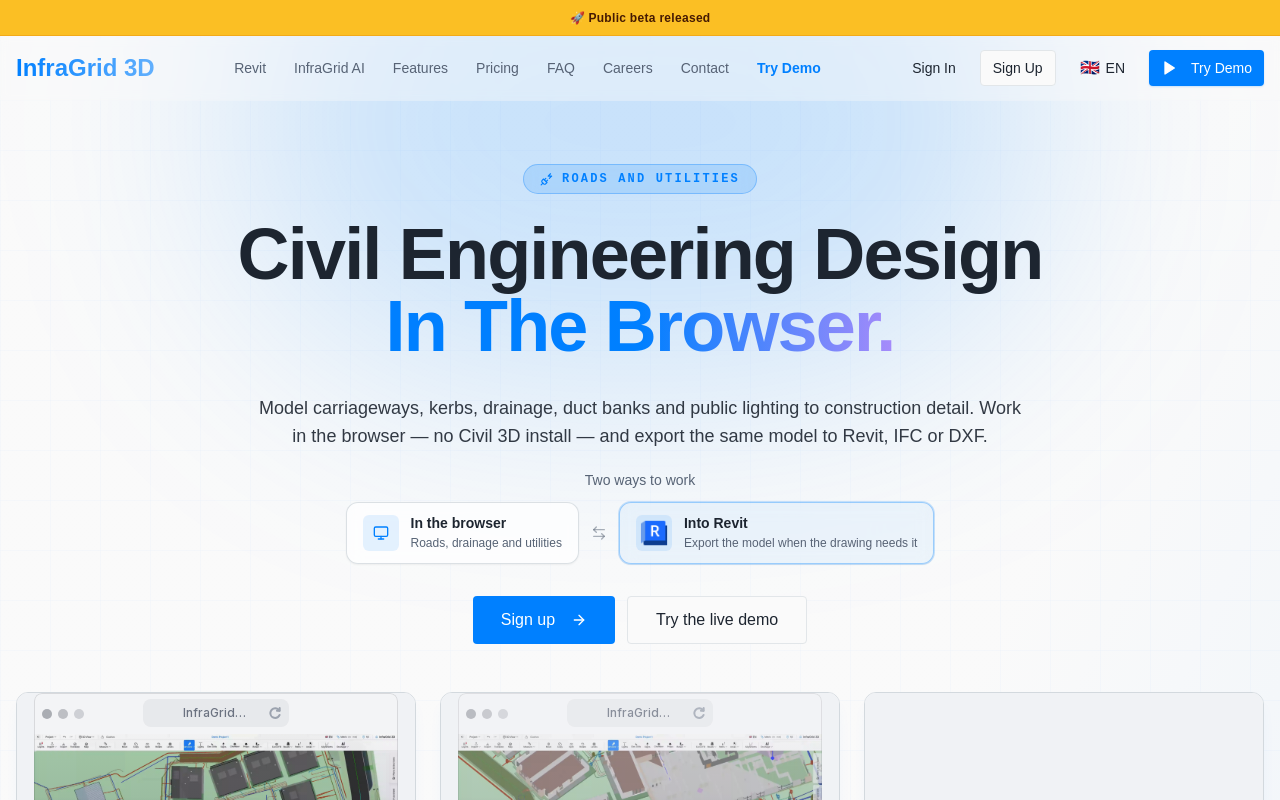
InfraGrid 3D is a browser-based civil engineering design platform for roads and utilities. It lets teams model carriageways, kerbs, drainage, duct banks and public lighting to construction detail without a Civil 3D install, and export the same model to Revit, IFC or DXF.
Key facts
What is InfraGrid3D?
Design roads, drainage and underground services in the browser and push the same coordinated model into Revit, IFC or DXF.
Who is InfraGrid3D best for?
Civil engineering teams, infrastructure and highways designers, utilities/drainage engineers, Revit and BIM coordinators working on data centres, industrial sites, housing, public realm and highways
What are its main limitations?
- Listed as a public beta
- Pricing page returns a 404, so no published pricing
- Revit workflow requires downloading and installing a Windows Revit add-in (Revit 2024–2027)
Limitations are based on product materials or editorial synthesis; confirm on the official site.
When was this information verified?
September 25, 2026
Sources
- Official homepageofficial homepage · Sep 25, 2026
Key features
- ✓Browser-based modelling of carriageways, kerbs, junctions, drainage, duct banks and public lighting
- ✓Duct bank routing with configurable number of ducts, depth, cover and bend radii, routed by clicking points
- ✓Live long sections and cross-sections generated from the model, including imported IFC and survey lines
- ✓Live clash detection against imported IFC (foundations, structures and other services)
- ✓Export to IFC, Revit, DXF and PDF, including plans, sections and long sections
- ✓Revit add-in: export JSON from the browser and import as native pipes, walls, floors and typed DirectShapes with re-import replacement
- ✓Point cloud / survey import (LAS, LAZ) and 2D GPR line import as 3D
- ✓InfraGrid AI Assistant that executes changes through the same tools, with multi-step runs and undo/checkpoints
Use cases
- →Set out road corridors, junctions, radii and kerb build-up before construction
- →Route storm and foul drainage, watermain and HV/LV banks with chambers at bends
- →Check new routes against existing foundations, structures and services via IFC clash checks
- →Produce long sections and cross-sections that update as the model is edited
- →Export road, service and chamber geometry into Revit for coordination with architectural and structural models
- →Place public lighting columns with laterals connected to the lighting conduit
Pros
- +Runs in the browser with no Civil 3D seat required
- +Single model drives roads, services, sections and exports
- +Exports to IFC, Revit, DXF and PDF for coordination
- +AI Assistant performs real modelling actions rather than producing text, with reversible multi-step runs
- +Supports point cloud (LAS/LAZ), survey and GPR survey import
Cons
- −Listed as a public beta
- −Pricing page returns a 404, so no published pricing
- −Revit workflow requires downloading and installing a Windows Revit add-in (Revit 2024–2027)
Positioning
- Core value: Design roads, drainage and underground services in the browser and push the same coordinated model into Revit, IFC or DXF.
- Ideal for: Civil engineering teams, infrastructure and highways designers, utilities/drainage engineers, Revit and BIM coordinators working on data centres, industrial sites, housing, public realm and highways
- Product type: Browser-based web app (studio) plus a Revit add-in for Revit 2024–2027
Frequently asked questions
What is InfraGrid 3D?
A browser-based civil engineering design platform for roads and utilities. You model carriageways, kerbs, drainage, duct banks and public lighting to construction detail and export the same model to Revit, IFC or DXF.
Do I need Civil 3D to use InfraGrid?
No. The site states you can work in the browser without a Civil 3D install, and the design can continue in Revit, Civil 3D or AutoCAD after export.
Can I export to Revit?
Yes. Download the InfraGrid Revit add-in (Revit 2024–2027, ZIP, run Setup.exe, no administrator rights), then Export → Export to Revit… in the browser studio and use InfraGrid → Import in Revit. Geometry lands as native pipes, walls, floors and typed DirectShapes.
What does the InfraGrid AI Assistant do?
It executes modelling commands through the same InfraGrid tools as the ribbon — for example placing staggered street lights, running storm and foul pipes with chambers at bends, adding a bus lay-by, or cutting a cross-section. Actions are reversible with undo and checkpoints.
What file formats does InfraGrid support?
Export to IFC, Revit, DXF and PDF, plus JSON for the Revit workflow. Import includes IFC, LAS/LAZ point clouds and 2D GPR survey lines.
How much does InfraGrid 3D cost?
No pricing is published on the site — the pricing page currently returns a 404 error, so pricing details are not available.
You may also like
Curated suggestions based on similar categories.
VisualSnag
Turn a website or image into an AI prompt. Upload screenshots or visual references, or paste a website URL, and get a clean visual style brief, CSS variables, design tokens, and a prompt to paste into any AI builder.
minia.art
minia.art is an AI-powered pixel art generator that creates grid-aligned, style-consistent, limited-color pixel art from text prompts. It is designed for casual creators who want game-ready sprites, scenes, avatars, wallpapers, and social media assets without needing to learn sprite editors.
ailogogenerator
AI Logo Generator creates a professional logo and full brand kit in 60 seconds from a one-sentence description. It generates four logo concepts, a color palette, typography system, and 17 photorealistic mockups using multiple AI models including Recraft, Ideogram, FLUX, and Nano Banana.
Topolines
TopoLines is a web-based tool that converts any location into topographic line art. Users draw a zone, customize contour styling, and export print-ready SVG or HD PNG for use in design tools like Figma or Illustrator.
Mojave Paint
Mojave Paint is a native macOS image editor for Apple Silicon, requiring macOS 15 Sequoia. It offers a retro aesthetic and familiar key bindings, focusing on deterministic and mathematical mutations rather than AI-generated content. The app is free to download and fully-featured except for export, which is a $9.99 one-time purchase.
Astryx
Astryx is an open source design system by Meta, built on React and StyleX, offering over 160 accessible and themeable components. It is fully customizable, agent-ready, and includes templates, themes, and documentation for rapid UI development. Currently in Beta.