
Ventorah
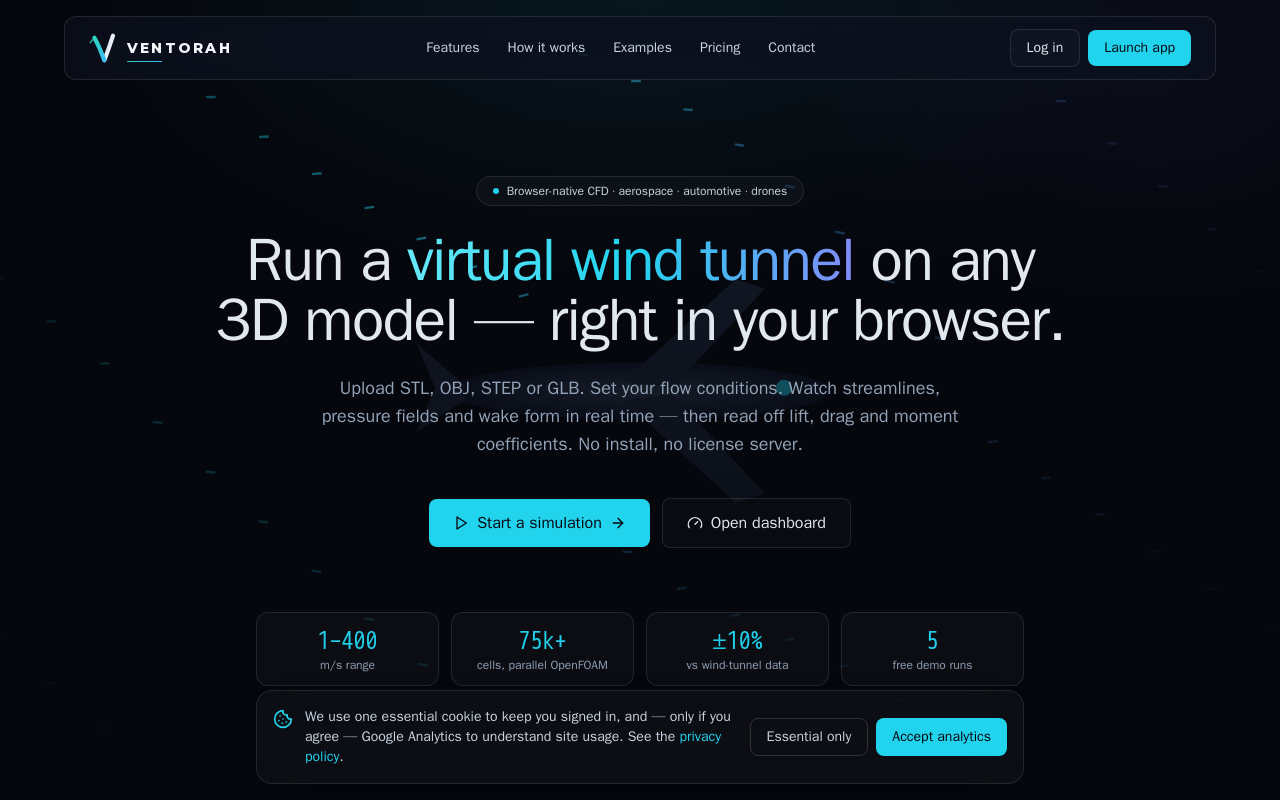
Ventorah is a browser-native CFD tool that runs virtual wind tunnels on any 3D model. It uses a validated OpenFOAM backend, supports multiple file formats, and provides real-time visualization of streamlines, pressure fields, and aerodynamic coefficients.
Key facts
What is Ventorah?
Run a virtual wind tunnel on any 3D model—right in your browser, with no install.
Who is Ventorah best for?
Engineers in aerospace, automotive, drone design, and aerodynamics.
Does Ventorah have a free plan?
According to official sources, a free plan is available. Official pricing
What does Ventorah cost?
Verified starting price is USD 5 / month. View source
What are its main limitations?
- Free tier limited to 5 demo simulations
- Accuracy is ±10% vs wind-tunnel data, not for certification use
- Pro plan uses a credit-based model rather than a monthly subscription
- Requires mesh resolution selection, may need user tuning for complex geometries
Limitations are based on product materials or editorial synthesis; confirm on the official site.
When was this information verified?
July 16, 2026
Sources
- Official homepageofficial homepage · Jul 16, 2026
- Official pricingofficial pricing · Jul 16, 2026
Key features
- ✓In-browser 3D viewer with orbit, wireframe, transparent, bounding-box modes and measurement tools
- ✓Virtual wind tunnel with animated streamlines, velocity vectors, pressure & velocity contours, vorticity, wake and flow separation
- ✓Full flow setup including speed, direction, density, temperature, pressure, humidity, altitude, fluid and turbulence model
- ✓Engineering results: Cl, Cd, Cm, Reynolds, Mach, forces, centre of pressure, surface maps — exportable to CSV and PDF
- ✓Interactive charts: lift-vs-angle, drag-vs-speed, pressure & velocity histograms, residual convergence, mesh statistics
- ✓Comparison tool to put two runs side by side with performance difference table
- ✓AI aero assistant to answer design questions and recommend improvements
- ✓Parallel snappyHexMesh + simpleFoam solver in Docker, benchmarked against published wind-tunnel data
Use cases
- →Aerodynamic analysis of NACA airfoils
- →Drone frame design optimization
- →Automotive body drag reduction studies
- →Educational wind tunnel demonstrations
- →Conceptual design iteration with real-time flow feedback
Pricing
Free demo
$0
- · 5 demo simulations
- · No credit card required
- · Panel engine with surface pressure solving
- · Separation & drag from solved field
- · Full 3D viewer
Bring-your-own
$5/mo
- · Everything in Free demo
- · Connect your own Claude API key
- · Point at your own OpenFOAM worker
- · Unlimited saved simulations
- · AI assistant on your key — no markup
Pro
$50/ 50 credits
- · Full facility — nothing to set up
- · 50 managed parallel OpenFOAM solves
- · Claude AI assistant & AI evolution
- · AI Design Studio — learns your constraints
- · Solved fields · collaboration · priority queue
Free demo with 5 simulations; paid plans from $5/mo (bring-your-own) or $50/50 credits (Pro).
Pros
- +No install required, runs entirely in the browser
- +Validated solver accuracy (sphere drag within ~10% of wind-tunnel data)
- +AI assistant for flow-separation explanations and design recommendations
- +Comparison tool for side-by-side performance analysis
- +Supports multiple 3D file formats: STL, OBJ, STEP, IGES, GLB, FBX
Cons
- −Free tier limited to 5 demo simulations
- −Accuracy is ±10% vs wind-tunnel data, not for certification use
- −Pro plan uses a credit-based model rather than a monthly subscription
- −Requires mesh resolution selection, may need user tuning for complex geometries
Positioning
- Core value: Run a virtual wind tunnel on any 3D model—right in your browser, with no install.
- Ideal for: Engineers in aerospace, automotive, drone design, and aerodynamics.
- Product type: Web app (browser-native)
Frequently asked questions
How does Ventorah work?
You upload a 3D model (STL, OBJ, STEP, IGES, GLB, FBX), configure flow conditions, and the solver runs in the browser using a parallel OpenFOAM backend. Results are displayed in real time with streamlines, pressure fields, and aerodynamic coefficients.
What file formats are supported?
STL, OBJ, STEP, IGES, GLB, and FBX. Models are rendered instantly in the WebGL viewer.
How accurate is the solver?
The solver is benchmarked against published wind-tunnel data. For example, sphere drag is within ~10% of experimental data.
Is there a free plan?
Yes, every account starts with 5 free demo simulations. No credit card required.
Can I export results?
Yes, you can export coefficients, charts, and flow fields as CSV or a PDF report.
What does the AI assistant do?
You can ask why drag is high or how to add lift. The assistant provides flow-separation explanations and design recommendations.
You may also like
Curated suggestions based on similar categories.
Murkaverse
AI-powered dream interpretation app with personalized analysis, dream journal, pattern analytics, and sleep insights
Finamie
Finamie is a voice-first personal finance app for iOS that automatically logs transactions and generates personalized financial insights from spoken descriptions. Available in English and Spanish, it offers a free tier and a Premium subscription.
Notate
Notate is a browser extension that lets you highlight text, videos, and PDFs, then instantly syncs everything to your Notion or Obsidian workspace. It includes AI-powered chat, page chat, screenshots, and email reminders to help capture and organize information without disrupting your workflow.
JobHawk
JobHawk is a job search tracking tool with AI-powered interview preparation. It provides AI-generated company briefs, predicted questions, and an Application Health Score to help job seekers stay organized and prepared.
PureBox.ai
PureBox is an AI-powered Gmail tool that scans your inbox and sorts emails into three tracks—Attention, Archive, and Trash—based on sender patterns and your past behavior. You review and approve all actions before anything moves, making cleanup safe and reversible. The free plan offers a one-time sample scan of up to 1,000 emails; the Pro plan provides continuous, real-time sorting for your entire inbox.
Arixify
Arixify is a browser extension that lets AI power users save, organize, and insert prompts into 20+ AI platforms—including ChatGPT, Claude, Gemini, and Runway—with a single click from the input box.