
AI Text Cleaner
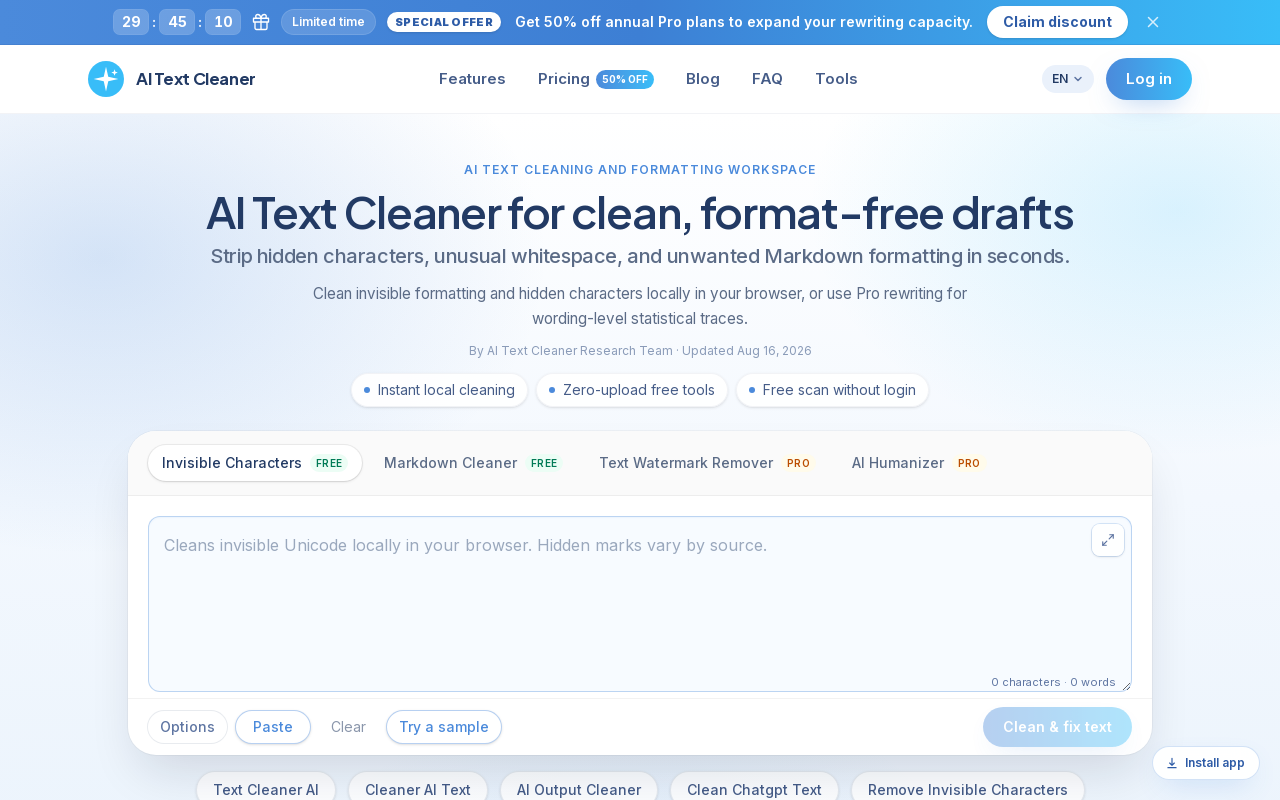
AI Text Cleaner is a browser-based text hygiene workspace that strips invisible Unicode characters, non-standard whitespace, and Markdown formatting from AI-generated drafts. It offers free client-side cleaning tools plus Pro credit-based services for text watermark removal and AI humanization.
Key facts
What is AI Text Cleaner?
Clean and reformat AI-generated drafts entirely in your browser for free, with optional Pro rewriting for wording-level statistical traces.
Who is AI Text Cleaner best for?
Content marketers, editors and copy editors, agencies and content studios, technical documentation and engineering teams
Does AI Text Cleaner have a free plan?
According to official sources, a free plan is available. Official pricing
What does AI Text Cleaner cost?
Verified starting price is USD 3 / month. View source
What are its main limitations?
- Free scan only lists Unicode residue and cannot remove the official statistical watermark
- Text Watermark Remover and AI Humanizer require paid Pro credits
- Only annual billing prices are displayed (monthly-equivalent figures billed once per year)
- Pro word allowances are capped by plan (20k, 42k, or 100k words per month)
Limitations are based on product materials or editorial synthesis; confirm on the official site.
When was this information verified?
October 12, 2026
Sources
- Official homepageofficial homepage · Oct 12, 2026
- Official pricingofficial pricing · Oct 12, 2026
Key features
- ✓Invisible character cleaner: removes zero-width spaces, ZWNJ, non-breaking spaces, U+202F narrow no-break spaces, byte order marks, and 60+ non-printing Unicode codepoints
- ✓Markdown stripper: converts asterisks, header hashes, blockquotes, code fences, and list markers into clean plain text
- ✓Client-side privacy: invisible character removal and Markdown stripping run entirely in the browser, and draft text is never uploaded during free scans
- ✓Character and word counts with a text hygiene preview of raw draft clutter versus cleaned typography
- ✓Text Watermark Remover (Pro): rewrites full sentences when AI models embed statistical sampling signatures into word choice
- ✓AI Humanizer (Pro): refines formulaic phrasing and repetitive sentence structures for a natural, readable cadence
- ✓Credit system: 10 credits = 1,000 words for Text Watermark Remover or AI Humanizer, with credits refreshing each billing cycle
- ✓Interface available in English, Chinese (Simplified and Traditional), Japanese, Korean, German, French, Spanish, Italian, Portuguese, and Dutch
Use cases
- →Cleaning AI articles before publishing to Webflow or WordPress so hidden Unicode characters don't break metadata and schema markup
- →Stripping chat formatting and converting robotic bullet lists into clean paragraphs before sending drafts to human reviewers
- →Delivering clean client drafts by stripping hidden characters locally for free, then using Pro rewrites for tone adjustments
- →Standardizing exported prompts and technical explanations before adding them to knowledge bases to avoid character encoding issues
- →Pro rewrite to reconstruct Claude wording when statistical sampling watermarks are embedded in word choice
Pricing
Free
$0
- · Invisible Character Removal
- · Markdown Cleaner
- · Runs entirely in your browser
- · $0 forever
Starter (Yearly)
$3.00/mo
- · Billed $35.94 once per year
- · 200 credits / month
- · ≈ 20,000 Pro words / month
- · Text Watermark Remover + AI Humanizer
- · All Free tools included
Professional (Yearly)
$5.00/mo
- · Billed $59.94 once per year
- · 420 credits / month
- · ≈ 42,000 Pro words / month (≈2× Starter)
- · Text Watermark Remover + AI Humanizer
- · All Free tools included
Advanced (Yearly)
$10.00/mo
- · Billed $119.94 once per year
- · 1000 credits / month
- · ≈ 100,000 Pro words / month — highest tier
- · Text Watermark Remover + AI Humanizer
- · All Free tools included
Free client-side tools ($0 forever); Pro credit plans billed annually at $3.00/mo (Starter), $5.00/mo (Professional), and $10.00/mo (Advanced), with a limited-time 50% off annual offer.
Pros
- +Free invisible character removal and Markdown cleaning run entirely in the browser with no upload of draft text
- +Free scan requires no login
- +Granular scanning pinpoints 60+ hidden Unicode codepoints without altering the text
- +Transparent credit pricing: 10 credits = 1,000 words for Pro rewriting features
- +Clearly distinguishes Unicode/paste residue (free) from statistical token sampling traces (Pro)
Cons
- −Free scan only lists Unicode residue and cannot remove the official statistical watermark
- −Text Watermark Remover and AI Humanizer require paid Pro credits
- −Only annual billing prices are displayed (monthly-equivalent figures billed once per year)
- −Pro word allowances are capped by plan (20k, 42k, or 100k words per month)
Positioning
- Core value: Clean and reformat AI-generated drafts entirely in your browser for free, with optional Pro rewriting for wording-level statistical traces.
- Ideal for: Content marketers, editors and copy editors, agencies and content studios, technical documentation and engineering teams
- Product type: Web app (browser-based text cleaning workspace)
Frequently asked questions
What is AI Text Cleaner?
AI Text Cleaner is a utility that identifies and removes unwanted digital artifacts from machine-generated writing, ranging from invisible zero-width spaces and non-standard whitespace to Markdown syntax and statistical sampling traces. It combines free, private browser tools for character sanitization with Pro full-text rewriting.
Is AI Text Cleaner free?
Yes, there is a free tier at $0 forever that includes Invisible Character Removal and Markdown Cleaner, running entirely in your browser. The Text Watermark Remover and AI Humanizer are Pro features that require paid credits.
How much does Pro cost?
Pro plans are billed annually: Starter at $3.00/mo (billed $35.94 once per year, 200 credits/mo), Professional at $5.00/mo (billed $59.94 once per year, 420 credits/mo), and Advanced at $10.00/mo (billed $119.94 once per year, 1000 credits/mo). A limited-time offer gives 50% off annual Pro plans.
How do credits work?
10 credits = 1,000 words for Text Watermark Remover or AI Humanizer. Invisible Characters and Markdown cleaning stay free, and credits refresh every billing cycle.
Is my draft text uploaded to your servers?
No. Invisible character removal and Markdown stripping run entirely in your browser, and your draft text is never uploaded to their servers during free scans.
Can the free scan remove AI watermarks?
No. The free scan only lists Unicode residue and cannot remove the official statistical watermark; removing Claude's statistical sampling marks requires Pro rewrite, which reconstructs wording.
You may also like
Curated suggestions based on similar categories.
HeyZoku
HeyZoku is a native macOS app that lets developers orchestrate multiple coding-agent CLIs (like Claude Code, Codex, Cursor, and Pi) side by side on a single canvas, controlled entirely by voice. It runs the CLIs already on your machine using your existing subscriptions, with on-device voice transcription for privacy and unlimited use. A one-time purchase grants lifetime updates, no subscription, and the ability to spawn, redirect, and interrupt agents by name.
Sitemap AI
Sitemap.ai crawls websites and generates XML sitemaps, llms.txt files, and clean per-page markdown from a single crawl. It helps websites get indexed by search engines and become visible to AI platforms like ChatGPT, Claude, Perplexity, and Gemini.
AI Email Generator
AI Email Generator is a free online tool that instantly turns a short brief into a polished subject line and email draft. Users select tone, intent, language, length, recipient details, and extra context to generate ready-to-edit emails without signing up.
Manga Translator
AI-powered manga translation tool that preserves context and layout, supporting over 50 languages, vertical/horizontal text detection, and batch processing of PDF/EPUB/CBZ files.
Flux 3
Flux 3 is a unified AI workspace for creating and transforming video, images, and audio. It enables users to generate visuals from prompts, refine them through iterative edits, and animate stills into video with synchronized audio.
Coverfairy
Book cover design tool for self-publishers, offering AI art generation, editable typography, and print-ready exports for Amazon KDP, IngramSpark, Lulu, and Barnes & Noble Press.