
Dictanote
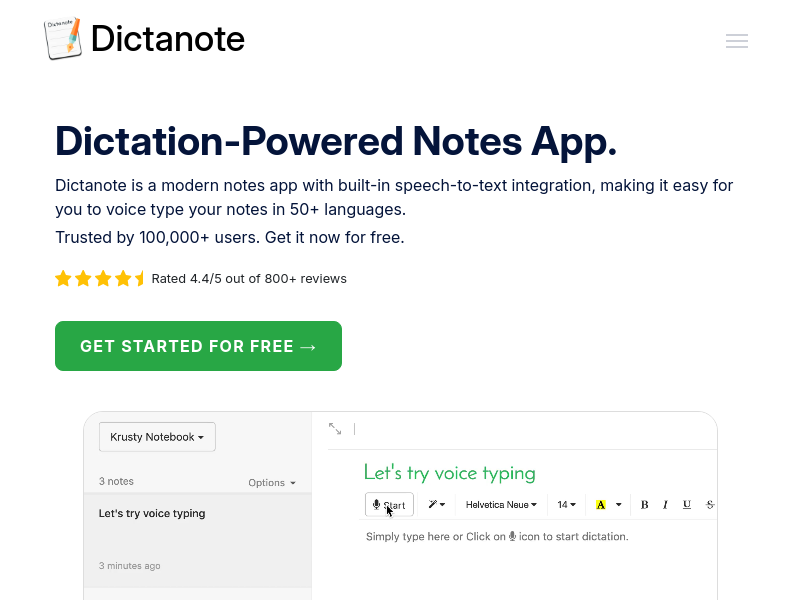
Dictanote is a modern note-taking app with built-in speech-to-text integration, allowing users to dictate notes in over 50 languages with high accuracy. It also includes AudioScribe, an AI-powered writing assistant that transcribes and summarizes voice notes into clear text.
Key facts
What is Dictanote?
A modern notes app that lets you type using your voice with real-time transcription in 50+ languages.
Who is Dictanote best for?
Writers, students, journalists, professionals who want to take notes hands-free
What are its main limitations?
- Dictation requires a working internet connection
- iPhone support limited to editing only – no voice dictation
- AudioScribe free tier limited to ten 3-minute voice notes; Pro has 30-minute limit
- Some advanced features only available in Pro plan
Limitations are based on product materials or editorial synthesis; confirm on the official site.
Key features
- ✓Real-time voice typing with 90%+ accuracy
- ✓Supports 50+ languages and 80+ dialects
- ✓Voice commands for punctuation, emoji, and corrections
- ✓Keyboard shortcuts to start/stop dictation and switch languages
- ✓AudioScribe: AI transcription and summarization of voice notes (Pro feature with limits)
- ✓Auto-save and cloud sync across devices
- ✓Offline access to notes (dictation requires internet)
- ✓Pro: unlimited notebooks, background dictation, custom voice commands, voice-based editing, images in notes
Use cases
- →Writing books, articles, or long documents hands-free
- →Taking lecture or meeting notes quickly and accurately
- →Transcribing and summarizing voice memos or audio files
- →Creating to-do lists and business memos using voice
- →Assisting users with accents that may be poorly recognized by other dictation tools
Pricing
Free
$0
- · Dictation in 50+ languages
- · Unlimited notes
- · Basic voice commands
- · 100% data security and privacy
- · AudioScribe limited to ten 3-minute voice notes
Pro (Monthly)
$8
- · Everything in Free
- · AudioScribe: unlimited voice notes up to 30 min
- · Unlimited notebooks
- · Dictation in background
- · Custom voice commands
- · Voice-based editing
- · Images in notes (1GB storage)
- · 1-day support
Pro (Yearly)
$5
- · Same as Pro Monthly
- · Billed $60 per year (save 40%)
Free plan available; Pro from $5/mo (yearly) or $8/mo (monthly). Save 40% with annual billing.
Pros
- +High dictation accuracy (over 90%)
- +Works with 50+ languages and many dialects
- +Auto-syncs notes to the cloud for access on multiple devices
- +Offline note editing available
- +AudioScribe feature uses AI to clean up messy dictation
Cons
- −Dictation requires a working internet connection
- −iPhone support limited to editing only – no voice dictation
- −AudioScribe free tier limited to ten 3-minute voice notes; Pro has 30-minute limit
- −Some advanced features only available in Pro plan
Positioning
- Core value: A modern notes app that lets you type using your voice with real-time transcription in 50+ languages.
- Ideal for: Writers, students, journalists, professionals who want to take notes hands-free
- Product type: Web app (Chrome, Edge), standalone desktop app (Windows/Linux/Mac), Android web app, iPhone Safari (no dictation)
Frequently asked questions
What are the system requirements to use Dictanote?
Dictanote works on desktop (Windows/Linux/Mac) in Google Chrome or Microsoft Edge, and can be installed as a standalone app. On Android it works in Google Chrome. On iPhone it works in Safari 12+ but only for editing – no voice dictation. An internal or external microphone is needed.
Can I use Dictanote offline?
You can access and edit your notes while offline, but dictation requires a working internet connection.
How does Dictanote keep my data safe?
All your notes are stored securely encrypted on Dictanote servers. Dictanote does not store or process any of your audio; it relies on Chrome's speech-to-text API to convert audio to text.
What is AudioScribe?
AudioScribe is a smart AI writing assistant that transcribes your audio notes using a high-accuracy model and rewrites the transcript into clear text, automatically adding punctuation, removing filler words and repetitions. It is available in the Pro plan, with a limited version for free users.
Are Dictanote and Voice In different products?
Yes. Dictanote is a note-taking app with built-in voice-to-text integration. Voice In is a Chrome extension that lets you use speech-to-text to type on any website in Chrome, such as Gmail, WordPress, etc. Both are built by the same team.
How do I manage or cancel my subscription?
Go to Account Settings. To cancel, click on 'Cancel Subscription' within your account profile. If you cancel before the end of your subscription period, you will still have access to Dictanote Pro until the last day of the subscription.
You may also like
Curated suggestions based on similar categories.
PDF Translate
PDF Translate is a browser-based AI tool that translates PDFs while preserving layout, fonts, tables, and images. It supports over 60 languages and multiple translation engines, including Google Translate, Bing Translate, OpenAI, and DeepL. Users can upload PDFs up to 200MB, choose source and target languages, and download single-language or bilingual PDFs in seconds.
superfile
Superfile is an open-source terminal file manager built with Go and Bubble Tea, offering a polished UI and complete file operations for developers who work in the terminal.
Notate
Notate is a browser extension that lets you highlight text, videos, and PDFs, then instantly syncs everything to your Notion or Obsidian workspace. It includes AI-powered chat, page chat, screenshots, and email reminders to help capture and organize information without disrupting your workflow.
Agentarius
Agentarius is a web-based AI tools guide that lists 129 tools, offering side-by-side comparisons, pre-built tool stacks, and written verdicts to help users select the right AI tool for their job or task.
DriftNote
DriftNote is an AI‑powered toolkit for both podcast listeners and creators. Listeners get instant structured summaries from any episode via Spotify, Apple, YouTube, or RSS links, and can follow podcasts to auto‑summarize new episodes. Creators upload raw audio (MP3, MP4, M4A, WAV) and receive production‑ready show notes, titles, chapters, full transcripts, and key quotes tuned to their podcast’s style.
Tripzy
Tripzy is a live travel companion that turns TikTok, Reel, and YouTube videos into fully planned trips by extracting locations, building itineraries, and syncing activities on a shared calendar.