
Lydie
Lydie is a modern, open-source writing workspace that centralizes notes, documents, and knowledge management, with AI-powered search, real-time collaboration, and an AI assistant that can chat with your documents, research across your workspace, and create new content.
Key facts
What is Lydie?
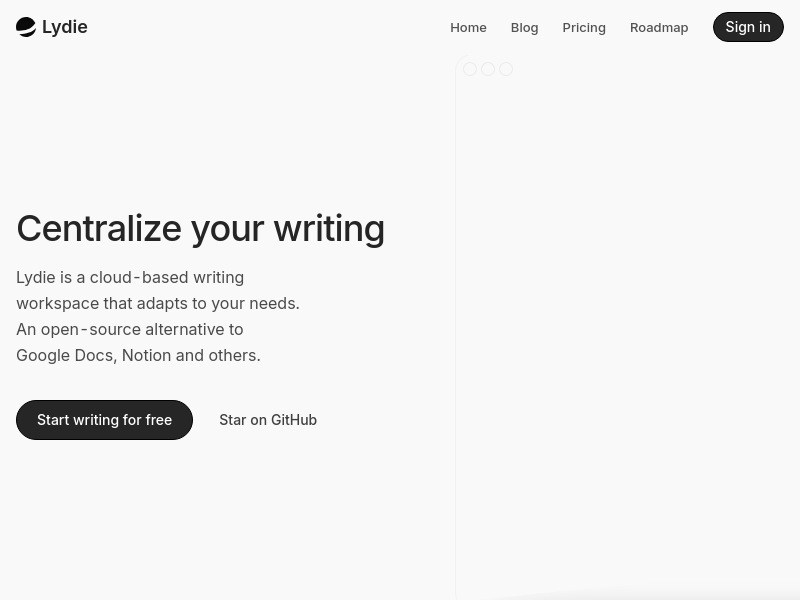
Centralize your writing and knowledge with an AI-powered, open-source workspace that adapts to your needs.
Who is Lydie best for?
Individuals, teams, and power users seeking a modern alternative to Google Docs or Notion.
What are its main limitations?
- AI features limited by credits (150/month on Free plan)
- Pro plan requires annual billing per seat ($168/year)
- Relatively new tool with smaller community than established competitors
Limitations are based on product materials or editorial synthesis; confirm on the official site.
Key features
- ✓AI-powered search that understands meaning and context, not just keywords
- ✓Real-time collaboration with instant sync across devices
- ✓WYSIWYG editor for structured documents and notes
- ✓AI assistant for asking questions, researching, synthesizing ideas, writing, and editing
- ✓Keyboard shortcuts (⌘K) for quick navigation and actions
- ✓Credits-based AI usage (150 credits/month on Free, 4,000 credits/month/seat on Pro)
- ✓Unlimited documents on Free plan
- ✓API access (Pro plan)
Use cases
- →Trip planning and itinerary management
- →Meeting notes and project tracking
- →Reading list and book highlights
- →Personal goal setting and tracking
- →Team collaboration on shared documents
- →Knowledge management and research synthesis
Pricing
Free
$0
- · 150 credits/month
- · Unlimited documents
- · Basic AI assistance
- · Community support
Pro
$14/seat/month (billed annually)
- · 4,000 credits/month/seat
- · Everything in Free
- · Advanced AI features
- · API access
- · Priority support
Free plan with 150 credits/month; Pro from $14/seat/month (billed annually).
Pros
- +Open-source and free to start, no vendor lock-in
- +AI-powered search that understands context, not just keywords
- +Real-time collaboration with instant sync
- +Keyboard shortcuts for efficient navigation
- +Credits refresh monthly even on yearly plans
Cons
- −AI features limited by credits (150/month on Free plan)
- −Pro plan requires annual billing per seat ($168/year)
- −Relatively new tool with smaller community than established competitors
Positioning
- Core value: Centralize your writing and knowledge with an AI-powered, open-source workspace that adapts to your needs.
- Ideal for: Individuals, teams, and power users seeking a modern alternative to Google Docs or Notion.
- Product type: Cloud-based web app (open-source self-hostable)
Frequently asked questions
What is Lydie?
Lydie is a modern writing workspace designed for structured documents, notes, and knowledge management. It combines a powerful WYSIWYG editor with AI-powered search and real-time collaboration features to help you organize and find information effortlessly.
Is Lydie free to use?
Yes! Lydie is open-source and free to use. There are no hidden fees or vendor lock-in. You can use the managed cloud service to get started, and you're also welcome to modify and contribute to the codebase.
Can I collaborate with my team in real-time?
Absolutely. Lydie supports real-time collaboration, allowing you and your team to work on documents simultaneously. Changes are synced instantly across all devices, so everyone stays up to date.
How does the AI-powered search work?
Lydie uses advanced AI to understand your documents and help you find information quickly. Instead of just matching keywords, the search understands the meaning and context of your content, making it easy to discover relevant information even when you don't remember the exact words.
You may also like
Curated suggestions based on similar categories.
PDF Translate
PDF Translate is a browser-based AI tool that translates PDFs while preserving layout, fonts, tables, and images. It supports over 60 languages and multiple translation engines, including Google Translate, Bing Translate, OpenAI, and DeepL. Users can upload PDFs up to 200MB, choose source and target languages, and download single-language or bilingual PDFs in seconds.
superfile
Superfile is an open-source terminal file manager built with Go and Bubble Tea, offering a polished UI and complete file operations for developers who work in the terminal.
Notate
Notate is a browser extension that lets you highlight text, videos, and PDFs, then instantly syncs everything to your Notion or Obsidian workspace. It includes AI-powered chat, page chat, screenshots, and email reminders to help capture and organize information without disrupting your workflow.
Agentarius
Agentarius is a web-based AI tools guide that lists 129 tools, offering side-by-side comparisons, pre-built tool stacks, and written verdicts to help users select the right AI tool for their job or task.
DriftNote
DriftNote is an AI‑powered toolkit for both podcast listeners and creators. Listeners get instant structured summaries from any episode via Spotify, Apple, YouTube, or RSS links, and can follow podcasts to auto‑summarize new episodes. Creators upload raw audio (MP3, MP4, M4A, WAV) and receive production‑ready show notes, titles, chapters, full transcripts, and key quotes tuned to their podcast’s style.
Tripzy
Tripzy is a live travel companion that turns TikTok, Reel, and YouTube videos into fully planned trips by extracting locations, building itineraries, and syncing activities on a shared calendar.