
ReWords AI
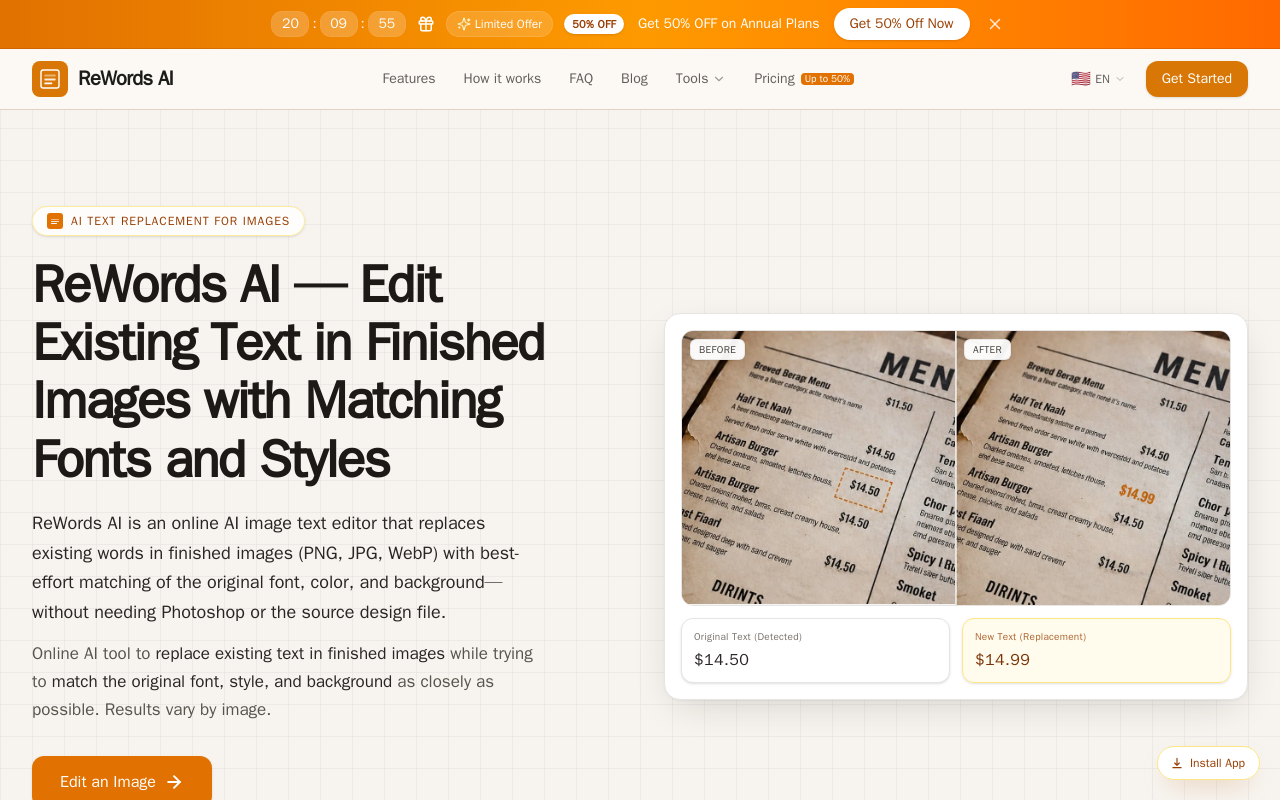
ReWords AI is a browser-based AI image text editor that detects and replaces baked-in text in PNG, JPG, and WebP images while making best-effort matches to the original font, color, and background. It also supports removing, translating, extracting, and blurring text without needing source design files.
Key facts
What is ReWords AI?
Change the words in a finished image while keeping the photo, layout, and typography style as close as possible — no Photoshop or source files required.
Who is ReWords AI best for?
Creators, marketers, designers, e-commerce sellers, students, and localization teams
Does ReWords AI have a free plan?
According to official sources, no free plan is currently offered. Official pricing
What does ReWords AI cost?
Verified starting price is USD 8.33 / month. View source
What are its main limitations?
- Font and style matching is best-effort, so results vary by image and require inspection
- Each standard 1K generation costs 10 credits
- HD 2K and Ultra HD 4K resolutions are subscription-only, not available with credit packs
- Uploads limited to 8MB
Limitations are based on product materials or editorial synthesis; confirm on the official site.
When was this information verified?
October 17, 2026
Sources
- Official homepageofficial homepage · Oct 17, 2026
- Official pricingofficial pricing · Oct 17, 2026
Key features
- ✓AI detection of baked-in text in PNG, JPG, and WebP images (max 8MB)
- ✓Replace text with best-effort matching of original font geometry, weight, slant, color, and background inpainting
- ✓Draw a box to select text blocks the detector misses
- ✓Remove, translate, extract, and blur text tools
- ✓Replace multiple text regions per image; each full generation applies all active edits
- ✓Resolution tiers: Standard 1K (10 credits), HD 2K (20 credits), Ultra HD 4K (30 credits)
- ✓Download generated results directly
Use cases
- →Fixing garbled or misspelled text in Midjourney, Stable Diffusion, or DALL-E image outputs
- →Updating discount percentages, dates, and calls to action on existing marketing banners and posters
- →Changing headlines, tags, and creator handles on YouTube thumbnails and social media graphics
- →Revising packaging labels, price tags, or feature callouts on e-commerce product photos without reshooting
- →Translating slogans, notices, and infographics for international audiences while matching layout
- →Updating button copy, dashboard labels, and UI screenshots for app and web mockups
Pricing
Professional (Annual)
$99.99/yr
- · 4,200 credits per year, issued monthly in 12 grants (420/month)
- · ≈42 standard images
- · Standard 1K, HD 2K, and Ultra HD 4K resolutions
- · Replace multiple text regions per image
- · Download generated results
Advanced (Annual)
$199.99/yr
- · 12,000 credits per year, issued monthly in 12 grants (1,000/month)
- · ≈100 standard images
- · Standard 1K, HD 2K, and Ultra HD 4K resolutions
- · Replace multiple text regions per image
- · Download generated results
Ultimate (Annual)
$299.99/yr
- · 24,000 credits per year, issued monthly in 12 grants (2,000/month)
- · ≈200 standard images
- · Standard 1K, HD 2K, and Ultra HD 4K resolutions
- · Built for teams editing large volumes of images
100-credit pack
$5.99 one-time
- · 100 credits, ≈10 standard images
- · Credits never expire
- · Standard 1K only; HD 2K and Ultra HD 4K not included
200-credit pack
$9.99 one-time
- · 200 credits, ≈20 standard images
- · Credits never expire
- · Standard 1K only; HD 2K and Ultra HD 4K not included
500-credit pack
$19.99 one-time
- · 500 credits, ≈50 standard images
- · Credits never expire
- · Standard 1K only; HD 2K and Ultra HD 4K not included
Free trial edit for new signed-in users; annual subscriptions from $8.33/mo (billed $99.99/yr) with up to 50% off during the limited-time offer, plus one-time credit packs from $5.99.
Pros
- +Edits flattened, baked-in text without original editable layers
- +Automatic background inpainting eliminates manual clone-stamping
- +Best-effort automatic font and style matching
- +No source design files or complex multi-layer software needed
- +One-time credit packs available with credits that never expire
Cons
- −Font and style matching is best-effort, so results vary by image and require inspection
- −Each standard 1K generation costs 10 credits
- −HD 2K and Ultra HD 4K resolutions are subscription-only, not available with credit packs
- −Uploads limited to 8MB
- −Free edits limited to one trial edit after signing in
Positioning
- Core value: Change the words in a finished image while keeping the photo, layout, and typography style as close as possible — no Photoshop or source files required.
- Ideal for: Creators, marketers, designers, e-commerce sellers, students, and localization teams
- Product type: Web app (browser-based online editor)
Frequently asked questions
What is ReWords AI?
ReWords AI is an online image editor that detects and replaces baked-in text in PNG, JPG, and WebP files, attempting to match the original font, color, and background without needing Photoshop or source design files.
Can I edit text in an image without the source file?
Yes. ReWords AI works on flattened PNG, JPG, and WebP images — it detects baked-in text, clears the original characters, and inserts your new wording.
How much does ReWords AI cost?
Annual subscriptions list at $99.99 (Professional), $199.99 (Advanced), and $299.99 (Ultimate), currently up to 50% off. One-time credit packs range from $5.99 for 100 credits to $29.90 for 1,000 credits.
How do credits work?
10 credits = 1 standard 1K image, 20 credits = HD 2K, and 30 credits = Ultra HD 4K. Each full generation applies all active edits. On monthly plans unused credits expire at the end of the billing period; annual plan credits are issued monthly 12 times and accumulate until the annual period ends.
Can I try ReWords AI for free?
New users can try a free image edit after signing in. Additional edits require credits or a subscription, and 2K and 4K resolutions are subscription benefits.
Will the new text use the exact same font as the original?
The system makes a best-effort attempt to match the original typography, weight, and color; styling and font matching are estimates, so results should always be inspected.
You may also like
Curated suggestions based on similar categories.
ProductShot AI
ProductShot AI is a browser-based AI product photography workspace for ecommerce sellers, marketers, and small teams. It turns a single uploaded product image into white-background photos, studio shots, lifestyle scenes, marketplace listing images, and campaign creative.
PhotoToVideoAI
PhotoToVideoAI helps creators, marketers, designers, and small businesses turn still photos and images into short AI videos with motion, camera movement, and creative prompts.
Mojave Paint
Mojave Paint is a native macOS image editor for Apple Silicon, requiring macOS 15 Sequoia. It offers a retro aesthetic and familiar key bindings, focusing on deterministic and mathematical mutations rather than AI-generated content. The app is free to download and fully-featured except for export, which is a $9.99 one-time purchase.
With You
With You is a cloud storage-based instant messaging app that allows users to share images, videos, movies, and life moments. It features a private screening room for group watching synchronized videos and shared family albums with photo/video comments and likes.
Face Swag
AI-powered online tool for transforming photos and videos with face swapping technology.
Removal.AI
AI-powered background removal tool that instantly removes backgrounds from images, offers editing tools, API integration, and credit-based pricing for high-resolution downloads.