
Clean Paste AI
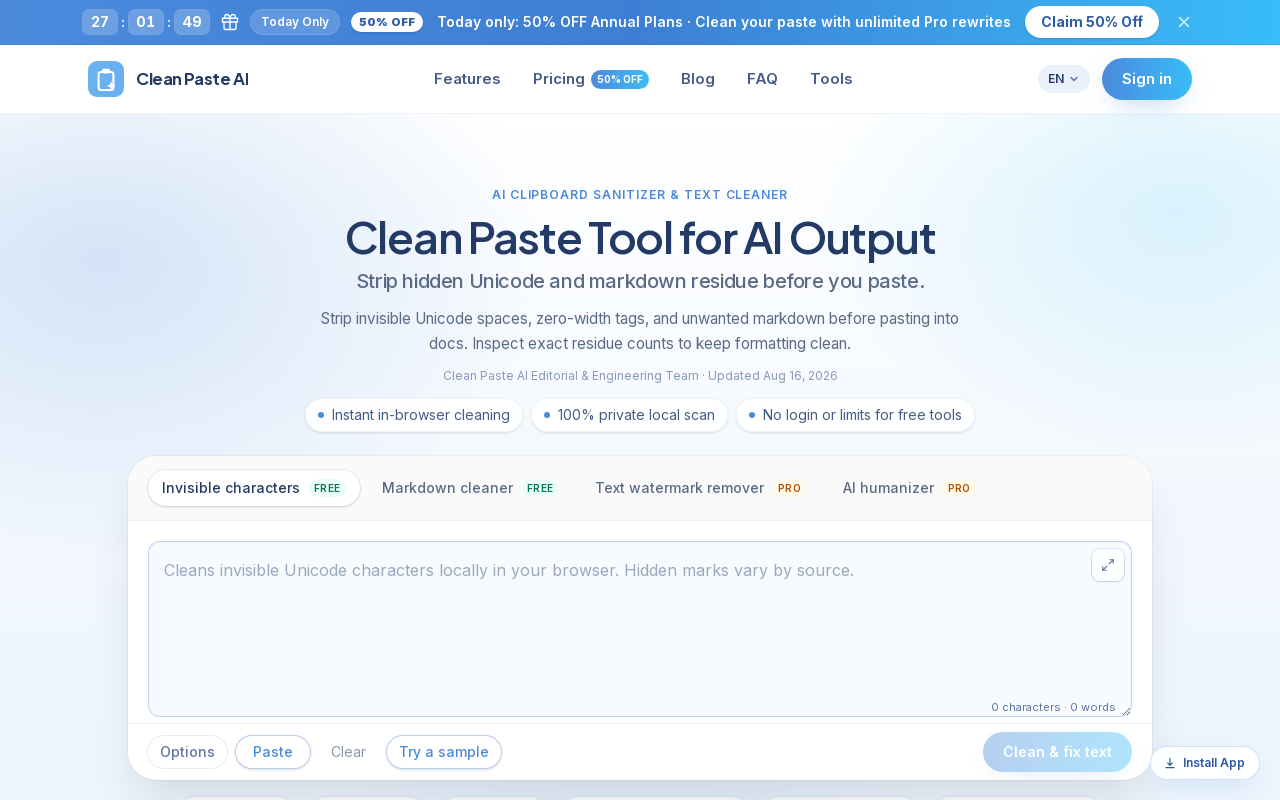
Clean Paste AI is an AI clipboard sanitizer that strips invisible Unicode characters, zero-width spaces, and unwanted Markdown from copied AI output before you paste it into documents, CMS editors, email, or spreadsheets. Free cleaning runs entirely locally in the browser, while Pro tiers add a Text Watermark Remover and AI Humanizer that reconstruct draft phrasing.
Key facts
What is Clean Paste AI?
Removes hidden Unicode and Markdown residue from AI output locally in the browser, with optional Pro AI rewriting for drafts that need full restructuring.
Who is Clean Paste AI best for?
Content ops and CMS publishers, editorial and copywriting teams, agencies, technical writers and developers
Does Clean Paste AI have a free plan?
According to official sources, a free plan is available. Official pricing
What does Clean Paste AI cost?
Verified starting price is USD 3 / month. View source
What are its main limitations?
- Pro features are credit-limited: 10 credits = 1,000 words
- Paid plans are shown only with annual billing (billed once per year)
- No API or developer integration is mentioned
- Free tier covers only character and Markdown cleanup, not rewriting
Limitations are based on product materials or editorial synthesis; confirm on the official site.
When was this information verified?
October 12, 2026
Sources
- Official homepageofficial homepage · Oct 12, 2026
- Official pricingofficial pricing · Oct 12, 2026
Key features
- ✓Invisible character detection and removal: scans and strips 60+ non-printing Unicode code points, joiners, and ghost spaces
- ✓Markdown cleaner: flattens headings, bold asterisks, blockquotes, code fences, and bracketed links into plain text
- ✓Residue inspection: itemized count of zero-width tokens, narrow spaces, and Markdown tags found in the pasted draft
- ✓100% local in-browser execution for free cleaning — no private text uploaded
- ✓Text Watermark Remover (Pro): semantic sentence reconstruction for embedded statistical sampling watermarks
- ✓AI Humanizer (Pro): refines stiff transition formulas and mechanical sentence pacing into more natural prose
- ✓Multi-language interface (English, Chinese, Japanese, Korean, German, French, Spanish, Italian, Portuguese, Dutch)
- ✓Platform-specific cleaning guides for Claude, ChatGPT, Gemini, and GPT output
Use cases
- →Sanitizing articles before publishing to WordPress, Webflow, or Notion so invisible tokens don't break meta fields
- →Turning raw AI chat transcripts into clean unformatted plain text for style guides and editorial review
- →Checking client copy for embarrassing Markdown tags and zero-width artifacts before final delivery
- →Normalizing AI assistant code comments and release notes before pushing to repositories or internal wikis
- →Fixing formatting glitches and broken spreadsheet formulas caused by pasted AI text
Pricing
Free
$0
- · Invisible Character Removal
- · Markdown Cleaner
- · Runs in your browser
- · $0 forever
Starter (Yearly)
$3.00/mo (billed $35.94 once/year)
- · 200 credits/mo ≈ 20,000 Pro words/month
- · Text Watermark Remover + AI Humanizer
- · All Free tools included
- · Credits refresh every billing cycle
Professional (Yearly)
$5.00/mo (billed $59.94 once/year)
- · 420 credits/mo ≈ 42,000 Pro words/month (≈2× Starter)
- · Text Watermark Remover + AI Humanizer
- · All Free tools included
- · Built for client work and publishing cadence
Advanced (Yearly)
$10.00/mo (billed $119.94 once/year)
- · 1000 credits/mo ≈ 100,000 Pro words/month
- · Text Watermark Remover + AI Humanizer
- · All Free tools included
- · Best for teams, agencies, and batch work
Free plan for local invisible-character and Markdown cleaning; annual Pro plans from $3.00/mo (billed $35.94/year), with a limited-time 50% OFF annual promotion
Pros
- +Free tier covers invisible character removal and Markdown cleaning with no login
- +Cleaning runs locally in the browser, keeping confidential drafts on-device
- +Detects 60+ non-printing Unicode code points with itemized residue counts
- +Credit-based Pro pricing shared across Text Watermark Remover and AI Humanizer
- +Payments processed securely via Stripe
Cons
- −Pro features are credit-limited: 10 credits = 1,000 words
- −Paid plans are shown only with annual billing (billed once per year)
- −No API or developer integration is mentioned
- −Free tier covers only character and Markdown cleanup, not rewriting
- −Watermark removal relies on semantic reconstruction rather than guaranteed mark removal
Positioning
- Core value: Removes hidden Unicode and Markdown residue from AI output locally in the browser, with optional Pro AI rewriting for drafts that need full restructuring.
- Ideal for: Content ops and CMS publishers, editorial and copywriting teams, agencies, technical writers and developers
- Product type: Web app (in-browser tool, no install)
Frequently asked questions
What is Clean Paste AI?
It is an AI clipboard sanitizer that strips invisible Unicode characters, zero-width tags, and unwanted Markdown from copied AI output before you paste into docs, CMS editors, or spreadsheets.
How much does Clean Paste AI cost?
Invisible Character Removal and Markdown Cleaner are free ($0 forever). Annual Pro plans are $3.00/mo (billed $35.94/year), $5.00/mo (billed $59.94/year), and $10.00/mo (billed $119.94/year), with a limited-time 50% off annual offer.
How are Pro features limited?
Pro features use credits: 10 credits equal 1,000 words for the Text Watermark Remover or AI Humanizer. Starter includes 200 credits/mo (≈20,000 words), Professional 420 credits/mo, and Advanced 1000 credits/mo.
Is my text kept private?
Yes — the invisible character and Markdown cleaners run directly inside your browser, and no private text is uploaded for free cleaning.
Do I need an account to clean text?
No login or limits are required for the free tools; signing in is available for the pricing and Pro plan flows.
What is the difference between free cleaning and Pro rewriting?
Free cleaning strips invisible Unicode and Markdown while keeping visible words and paragraph structure intact. Pro adds semantic reconstruction for embedded text watermarks and AI humanizing to restructure stiff phrasing.
You may also like
Curated suggestions based on similar categories.
AI Text Cleaner
AI Text Cleaner is a browser-based text hygiene workspace that strips invisible Unicode characters, non-standard whitespace, and Markdown formatting from AI-generated drafts. It offers free client-side cleaning tools plus Pro credit-based services for text watermark removal and AI humanization.
ExcaliClaw
ExcaliClaw is an independent collaborative workspace for organizing, sharing and creating hand-drawn diagrams. It offers persistent storage, collections, real-time collaboration, instant search, and MCP tools that let AI agents like Claude, Cursor and VS Code draw diagrams alongside users.
SpinMind
SpinMind is an AI-powered spin wheel and random picker web app. Users can generate a ready-to-play wheel from a text description or build wheels manually, with options for single wheel, Combo Mode, and Domino Mode. It also offers a set of related tools such as a random name picker, yes-or-no wheel, prize wheel, truth-or-dare wheel, random number generator, and giveaway picker.
PDF Translate
PDF Translate is a browser-based AI tool that translates PDFs while preserving layout, fonts, tables, and images. It supports over 60 languages and multiple translation engines, including Google Translate, Bing Translate, OpenAI, and DeepL. Users can upload PDFs up to 200MB, choose source and target languages, and download single-language or bilingual PDFs in seconds.
superfile
Superfile is an open-source terminal file manager built with Go and Bubble Tea, offering a polished UI and complete file operations for developers who work in the terminal.
Notate
Notate is a browser extension that lets you highlight text, videos, and PDFs, then instantly syncs everything to your Notion or Obsidian workspace. It includes AI-powered chat, page chat, screenshots, and email reminders to help capture and organize information without disrupting your workflow.