
OmniPDF
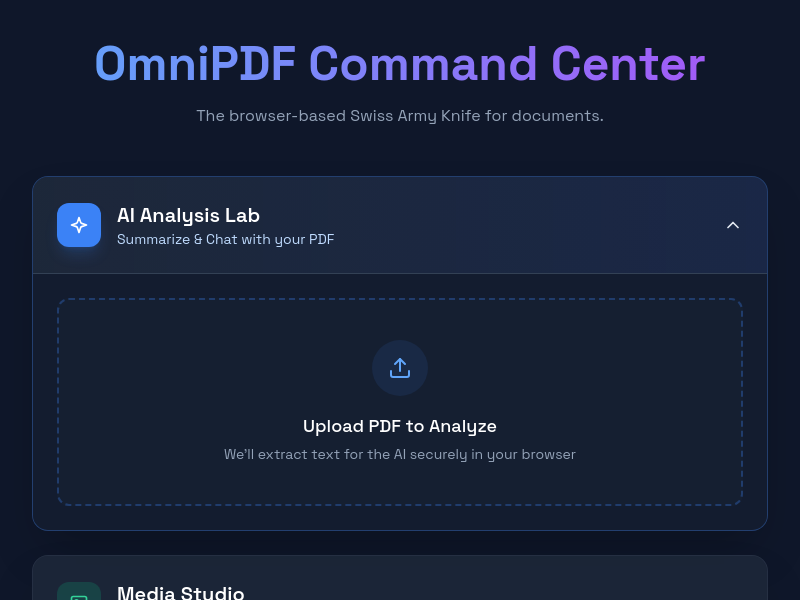
OmniPDF is a free, privacy-first PDF toolkit that runs entirely in your browser. It offers tools to merge, split, compress, convert, edit, summarize with AI, and transfer files peer-to-peer, with no uploads or data collection.
Key facts
What is OmniPDF?
The ultimate PDF toolkit that is 100% free, private, and works instantly in your browser with AI-powered features.
Who is OmniPDF best for?
Everyone who works with PDFs, including students, professionals, and casual users.
What are its main limitations?
- Requires an internet connection to load the web app (no offline mode mentioned)
- No information on file size limits (may be limited by browser memory)
- Lacks advanced features like OCR or form filling
Limitations are based on product materials or editorial synthesis; confirm on the official site.
Key features
- ✓Browser-based processing – files never leave your device
- ✓AI summarizer and chat with PDF documents
- ✓Merge multiple PDFs and Word documents into one file
- ✓Split PDFs by extracting specific pages or dividing into smaller files
- ✓Compress PDFs with smart compression to reduce file size while maintaining quality
- ✓Convert PDFs to Word, Text, Images (JPG/PNG), and vice versa (Word, PPT to PDF)
- ✓PDF editor to reorder, delete, and rotate pages
- ✓P2P file transfer between devices without intermediate servers
Use cases
- →Combine several PDFs into a single document for a report or project
- →Reduce the file size of a large PDF for easier email attachment
- →Extract text from a scanned PDF for editing or copying
- →Convert a PowerPoint presentation to PDF for universal sharing
- →Get a quick AI-generated summary of a lengthy PDF document
Pricing
Free
$0
- · All tools included (merge, split, compress, convert, AI summarizer, editor, etc.)
- · No watermarks or ads
- · No file uploads – privacy guaranteed
OmniPDF is completely free with no paid tiers, ads, or watermarks.
Pros
- +Completely free – no premium tier, ads, or watermarks
- +Privacy-first: all processing happens locally in the browser, no file uploads
- +No account or sign-up required to use any tool
- +Fast, instant results due to client-side processing
Cons
- −Requires an internet connection to load the web app (no offline mode mentioned)
- −No information on file size limits (may be limited by browser memory)
- −Lacks advanced features like OCR or form filling
Positioning
- Core value: The ultimate PDF toolkit that is 100% free, private, and works instantly in your browser with AI-powered features.
- Ideal for: Everyone who works with PDFs, including students, professionals, and casual users.
Frequently asked questions
Is my data secure? Do you store my files?
Yes, your data is secure because all processing happens in your browser. Files never leave your device, so no data is stored or uploaded.
Do I need to create an account?
No, you can use all tools without creating an account.
What file formats do you support?
OmniPDF supports PDF, Word (DOC/DOCX), PowerPoint (PPT/PPTX), images (JPG/PNG), and ZIP archives.
Are there file size limits?
There are no stated file size limits, but processing very large files may depend on your browser's available memory.
Can I use OmniPDF offline?
The website says browser-based processing requires loading the app online. There is no mention of an offline mode.
Is OmniPDF free?
Yes, OmniPDF is completely free with no paid plans, watermarks, or ads.
You may also like
Curated suggestions based on similar categories.
Clean Paste AI
Clean Paste AI is an AI clipboard sanitizer that strips invisible Unicode characters, zero-width spaces, and unwanted Markdown from copied AI output before you paste it into documents, CMS editors, email, or spreadsheets. Free cleaning runs entirely locally in the browser, while Pro tiers add a Text Watermark Remover and AI Humanizer that reconstruct draft phrasing.
AI Text Cleaner
AI Text Cleaner is a browser-based text hygiene workspace that strips invisible Unicode characters, non-standard whitespace, and Markdown formatting from AI-generated drafts. It offers free client-side cleaning tools plus Pro credit-based services for text watermark removal and AI humanization.
ExcaliClaw
ExcaliClaw is an independent collaborative workspace for organizing, sharing and creating hand-drawn diagrams. It offers persistent storage, collections, real-time collaboration, instant search, and MCP tools that let AI agents like Claude, Cursor and VS Code draw diagrams alongside users.
SpinMind
SpinMind is an AI-powered spin wheel and random picker web app. Users can generate a ready-to-play wheel from a text description or build wheels manually, with options for single wheel, Combo Mode, and Domino Mode. It also offers a set of related tools such as a random name picker, yes-or-no wheel, prize wheel, truth-or-dare wheel, random number generator, and giveaway picker.
PDF Translate
PDF Translate is a browser-based AI tool that translates PDFs while preserving layout, fonts, tables, and images. It supports over 60 languages and multiple translation engines, including Google Translate, Bing Translate, OpenAI, and DeepL. Users can upload PDFs up to 200MB, choose source and target languages, and download single-language or bilingual PDFs in seconds.
superfile
Superfile is an open-source terminal file manager built with Go and Bubble Tea, offering a polished UI and complete file operations for developers who work in the terminal.