
Wispr Flow
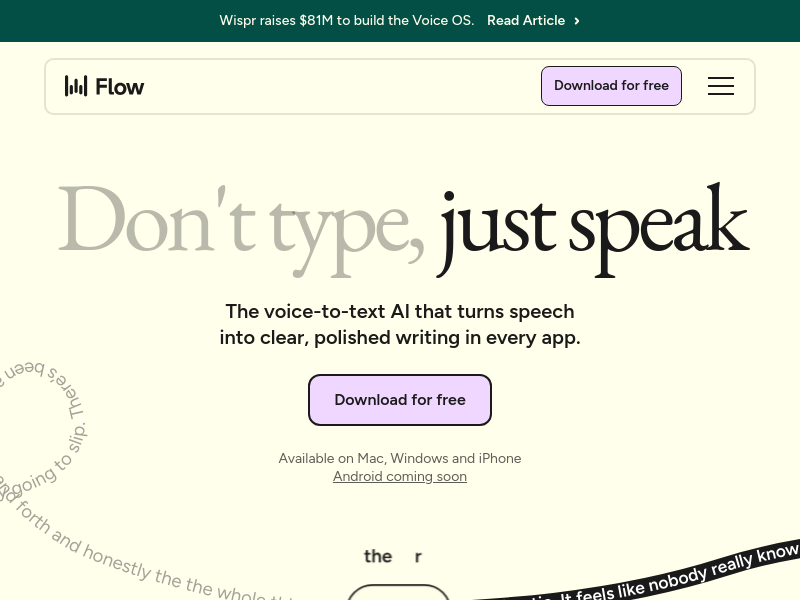
Wispr Flow is a voice-to-text AI that turns speech into polished, clear writing in every application on Mac, Windows, iPhone, and Android. It claims to be 4x faster than typing and uses AI to automatically edit messy speech, remove filler words, and format text correctly.
Key facts
What is Wispr Flow?
Speak at the speed of thought and get polished text 4x faster than typing, in every app on any device.
Who is Wispr Flow best for?
Professionals, students, developers, creators, customer support teams, lawyers, salespeople, leaders, and anyone needing to type less
What are its main limitations?
- Pricing is not publicly disclosed (only a 14-day free trial)
- No offline mode mentioned
- No Linux support
- May require microphone setup for best performance
Limitations are based on product materials or editorial synthesis; confirm on the official site.
Key features
- ✓AI Auto Edits: automatically transcribes and polishes speech, removing filler words and typos
- ✓Personal dictionary: learns unique words and names automatically
- ✓Snippet library: create voice shortcuts for frequently used phrases (e.g., scheduling links, FAQs)
- ✓100+ language support with automatic detection
- ✓Works across all applications on computer and phone
- ✓Cross-device sync of dictionary, snippets, and settings
- ✓HIPAA-ready on all plans, SOC 2 Type II compliant on Enterprise plans
Use cases
- →Dictating code and commit messages in VS Code or Cursor
- →Writing emails and customer replies 4x faster
- →Drafting content and breaking through writer's block
- →Capturing meeting notes and legal case notes on the go
- →Following up after sales meetings and personalizing outreach
- →Accessibility for users with repetitive strain injuries or conditions like Parkinson's
Pros
- +4x faster than typing
- +Works in every app, not just one text field
- +AI edits messy speech into polished text automatically
- +Learns personal vocabulary and jargon
- +Supports 100+ languages
- +HIPAA compliant for health-related use
- +Positive reviews from high-profile users
Cons
- −Pricing is not publicly disclosed (only a 14-day free trial)
- −No offline mode mentioned
- −No Linux support
- −May require microphone setup for best performance
Positioning
- Core value: Speak at the speed of thought and get polished text 4x faster than typing, in every app on any device.
- Ideal for: Professionals, students, developers, creators, customer support teams, lawyers, salespeople, leaders, and anyone needing to type less
- Product type: Desktop app (Mac, Windows) and mobile app (iPhone, Android)
Frequently asked questions
What is Wispr Flow?
Wispr Flow is a voice-to-text AI that turns speech into polished, clear writing in every app on your computer or phone, claiming to be 4x faster than typing.
Which devices and platforms are supported?
Flow is available on Mac, Windows, iPhone, and Android, with native apps that sync your dictionary, snippets, and settings across devices.
How does Flow handle messy speech?
Flow uses AI Auto Edits to transcribe and instantly edit your voice, removing filler words, typos, and rambling to produce clear, formatted text.
Is my data secure?
Flow states 'Your data, your control' and offers HIPAA-ready security on all plans and SOC 2 Type II compliance on Enterprise plans.
Does Flow support multiple languages?
Yes, Flow automatically detects and transcribes in 100+ languages, allowing you to switch between them seamlessly.
Can I use Flow for coding?
Yes, Flow is designed for developers to dictate code, commit messages, and other text directly into IDEs like Cursor and VS Code.
You may also like
Curated suggestions based on similar categories.
Clean Paste AI
Clean Paste AI is an AI clipboard sanitizer that strips invisible Unicode characters, zero-width spaces, and unwanted Markdown from copied AI output before you paste it into documents, CMS editors, email, or spreadsheets. Free cleaning runs entirely locally in the browser, while Pro tiers add a Text Watermark Remover and AI Humanizer that reconstruct draft phrasing.
AI Text Cleaner
AI Text Cleaner is a browser-based text hygiene workspace that strips invisible Unicode characters, non-standard whitespace, and Markdown formatting from AI-generated drafts. It offers free client-side cleaning tools plus Pro credit-based services for text watermark removal and AI humanization.
ExcaliClaw
ExcaliClaw is an independent collaborative workspace for organizing, sharing and creating hand-drawn diagrams. It offers persistent storage, collections, real-time collaboration, instant search, and MCP tools that let AI agents like Claude, Cursor and VS Code draw diagrams alongside users.
SpinMind
SpinMind is an AI-powered spin wheel and random picker web app. Users can generate a ready-to-play wheel from a text description or build wheels manually, with options for single wheel, Combo Mode, and Domino Mode. It also offers a set of related tools such as a random name picker, yes-or-no wheel, prize wheel, truth-or-dare wheel, random number generator, and giveaway picker.
PDF Translate
PDF Translate is a browser-based AI tool that translates PDFs while preserving layout, fonts, tables, and images. It supports over 60 languages and multiple translation engines, including Google Translate, Bing Translate, OpenAI, and DeepL. Users can upload PDFs up to 200MB, choose source and target languages, and download single-language or bilingual PDFs in seconds.
superfile
Superfile is an open-source terminal file manager built with Go and Bubble Tea, offering a polished UI and complete file operations for developers who work in the terminal.